USB-C Explained: What All Those Cables and Ports Actually Do
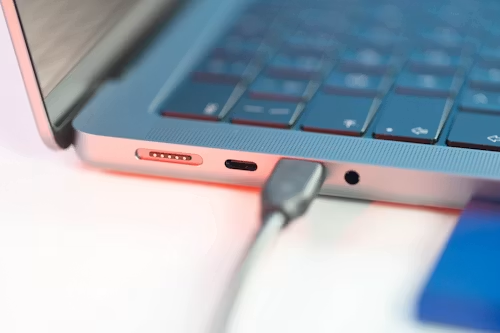
USB-C has become the standard port on nearly every phone, laptop, and accessory sold today — including the iPhone — after Apple finally made the switch. But “USB-C” describes a physical connector shape, not a single standardised set of capabilities, which is exactly why two USB-C cables that look identical can behave completely differently. Here’s what USB-C actually means in practice.
USB-C Is a Shape, Not a Speed
This is the single most important thing to understand: USB-C refers to the oval, reversible connector shape — it says nothing on its own about how fast a cable charges or transfers data. A $5 USB-C cable and a $30 USB-C cable can look completely identical while performing very differently, because the shape is standardised but the technology inside the cable isn’t.
The Standards Hiding Inside That Same Connector
USB 2.0 speeds (480 Mbps): many cheap or bundled charging cables only support this older, slower data standard, even though they use the newer USB-C connector. Fine for charging, frustratingly slow for transferring large files.
USB 3.x speeds (5-20 Gbps): significantly faster data transfer, useful for moving large files to an external drive or connecting a high-speed accessory.
USB4 and Thunderbolt speeds (up to 40 Gbps): found on higher-end laptops and cables, capable of driving external displays, high-speed external storage, and other demanding accessories through a single port.
Power delivery wattage varies too. USB-C supports a range of charging speeds depending on the cable, charger, and device — a basic cable might handle 18W, while a properly rated cable can handle 100W or more for charging power-hungry laptops. Using an underrated cable with a fast charger won’t damage your device, but it will silently cap your charging speed to whatever the weakest link in the chain supports.
Why This Matters When You’re Buying a Cable
Because USB-C doesn’t guarantee any specific speed or wattage, buying a cable based on the connector shape alone can lead to genuine frustration — a phone that charges slowly despite an expensive charger, or a hard drive that transfers files far slower than expected, simply because the cable itself is the bottleneck. When buying a replacement or extra cable, check the specific speed and wattage rating on the packaging or product listing rather than assuming “USB-C” alone tells you what you’re getting.
USB-C vs. Lightning vs. Micro USB
If you’re used to older connector types, here’s the practical difference USB-C actually makes:
- Reversible: unlike Micro USB (and unlike original orientation confusion with some older connectors), USB-C plugs in the same way no matter which side is up — a small but genuinely appreciated everyday convenience.
- Faster charging and data, at its best: when using a proper USB-C cable and charger, both charging speed and data transfer can significantly outperform the older Micro USB standard.
- One connector across most devices now: with Apple’s shift to USB-C on iPhone (starting with the iPhone 15), USB-C has become the closest thing to a universal charging standard across phones, tablets, and laptops that consumer electronics have had in years — genuinely useful if you’re tired of carrying multiple cable types for different devices.
What About Charging Bricks and Adapters?
The same “shape doesn’t guarantee capability” rule applies to chargers, not just cables. A USB-C charging brick’s actual wattage output is what determines how fast it can charge a given device — check the printed wattage on the charger itself (commonly shown as something like “20W” or “65W”) rather than assuming a USB-C charger automatically delivers your device’s maximum possible charging speed.
A Simple Buying Rule
If you’re buying a cable or charger and unsure what you need, buying one rated for a higher speed and wattage than your current device requires is a reasonable, low-risk choice — a higher-rated cable or charger will simply deliver whatever speed your specific device supports, and you’ll already have the right cable on hand if you upgrade to a device with higher charging or data needs later.
Bottom Line
USB-C solved the physical compatibility mess of having different connector shapes for different devices, but it didn’t standardise the speed or power capability behind that shape — that part still varies significantly between individual cables and chargers. When shopping for a new cable or charger, always check the actual speed and wattage rating rather than assuming the USB-C label alone tells you everything you need to know.