The Essential Apple Accessories Worth Buying and the Ones You Can Skip
Apple’s ecosystem is full of accessories, and not all of them earn a place in your setup. Here’s a practical breakdown of what’s genuinely worth your money and where a third-party option or nothing at all makes more sense.
Worth Buying
AirTag—At its core, this is one of the simplest, most useful accessories Apple makes. Attach one to your keys, backpack, or wallet, and if you lose track of it, Find My can pinpoint its location down to the centimeter when it’s nearby, or tap into Apple’s broader Find My network when it’s farther away. Budget for a case or keyring separately, since AirTags don’t ship with an attachment loop.
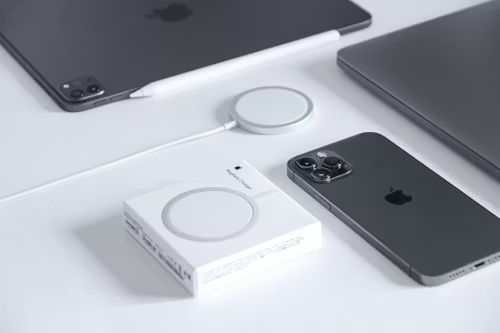
MagSafe Charger — There are cheaper third-party wireless chargers, but Apple’s own MagSafe charger is worth considering if you own a recent iPhone. The magnetic alignment is strong enough that you can pick up your phone with the charger still attached, and it charges reliably without the fiddly positioning regular Qi chargers sometimes require. If you want a more complete desk setup, third-party multi-device docks (charging your iPhone, AirPods, and Apple Watch from one pad) are a genuinely useful upgrade over buying three separate chargers.
AirPods Pro — Apple’s noise-cancelling AirPods remain one of the most consistently recommended Apple accessories, particularly for anyone already in the ecosystem. The seamless pairing across iPhone, Mac, and iPad, combined with solid noise cancellation and sound quality, makes the case for the ecosystem convenience alone, even before comparing raw audio specs against competitors.
Apple Watch—If you don’t already own one, this is arguably the single most functional Apple accessory available: heart rate monitoring, ECG readings, workout tracking, notifications, and the ability to unlock your Mac or handle Siri requests without touching your phone. For anyone trying to cut down on phone screen time specifically, it’s the most effective tool in Apple’s ecosystem for that purpose.
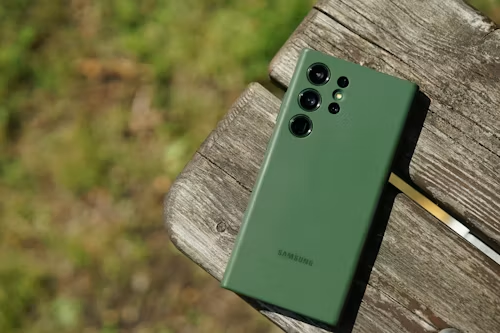
A good protective case—not necessarily Apple’s own case—third-party options often offer better drop protection or grip for less money—but some form of case is worth the investment simply as insurance against a cracked screen, which will cost far more to repair than any case.
Worth Considering, Depending on Your Setup
MagSafe Wallet or card holder—genuinely convenient if you’re the type of person who wants to carry fewer things, but it does add bulk to the back of your phone and isn’t for everyone. Worth trying if minimizing what you carry appeals to you; skippable if you’re happy with a separate wallet.
Multi-device charging stations—If you own multiple Apple devices (iPhone, AirPods, Apple Watch), a combined charging dock is a legitimately useful desk upgrade that reduces cable clutter. If you only own an iPhone, a single MagSafe charger is all you need.
Car mount or CarPlay adapter—worth it specifically if your car doesn’t already have built-in CarPlay support. If your car already has it wired in, you don’t need this.
Skip These (or Buy Third-Party Instead)
Apple’s own Lightning/USB-C cables at full price—they work fine, but they’re priced at a premium for what they are. MFi-certified third-party cables perform identically for a fraction of the cost.
Apple’s leather cases (older iPhone generations)—Apple has moved away from leather cases in recent years for durability and sustainability reasons, and the silicone and FineWoven alternatives, while stylish, are a matter of personal preference rather than a clear functional upgrade—don’t feel obligated to buy first-party just because it’s first-party.
AirPods Max leather case—A nice-to-have if you already own AirPods Max and want a premium accessory, but it’s a genuinely optional luxury purchase, not something that meaningfully improves function over the included case.
The General Rule of Thumb
Buy Apple’s own accessories when the integration genuinely matters (MagSafe alignment, AirTag’s Find My network, Apple Watch’s deep OS integration). For anything that’s fundamentally a commodity—cables, basic cases, charging docks—a well-reviewed third-party option will usually save you money without any meaningful downside. The accessories that are actually worth paying an Apple premium for are the ones doing something a generic alternative genuinely can’t replicate.