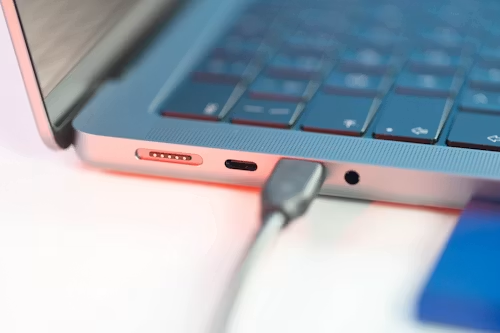
The Short Version: Choosing the wrong laptop for college is an expensive mistake that affects your academic performance for years. This guide covers the best laptops for college students across every budget in 2026 — from $300 Chromebooks that handle coursework brilliantly to $1,500 powerhouses built for demanding creative and engineering programs. Every recommendation has been tested, verified, and selected with real student needs in mind.
Why Choosing the Right College Laptop Matters More Than Ever in 2026
College in 2026 is more digitally demanding than at any point in academic history. AI-assisted research tools, cloud-based collaboration platforms, video lectures, coding environments, design software, and multimedia presentations have replaced the simple word-processing needs that defined student computing a decade ago.
The laptop you bring to college will be your most important academic tool. It will attend every class, survive every exam period, power every late-night study session, and—if chosen correctly—last your entire four-year degree program without needing replacement.
Getting this decision wrong is genuinely costly. A laptop that is too slow becomes a daily frustration that hurts productivity. A laptop with poor battery life chains you to power outlets in lecture halls. A laptop that cannot run your program’s required software forces expensive emergency purchases mid-semester.
Getting it right, however, delivers four years of reliable academic support, creative capability, and daily convenience.
At TechMuse, we tested 18 different laptops specifically with student use cases in mind—portability, battery life, performance for academic tasks, durability under daily use, and value across price ranges. Here is our definitive guide to the best laptops for college students in 2026.
What College Students Actually Need in a Laptop
Before looking at specific recommendations, understanding what matters most for student use helps clarify the buying decision.
Battery Life Comes First
This is the single most important specification for a college laptop. Lecture halls and libraries rarely have enough power outlets for every student. Café study sessions cannot always guarantee a seat near a plug. A laptop that dies at 2pm when your class ends at 4pm is a serious academic liability.
Look for a minimum of 10 hours of real-world battery life. Anything less requires carrying a charger everywhere and constantly hunting for outlets.
Weight and Portability Are Non-Negotiable
You will carry this laptop every single day—in a backpack, between classes, across campus, on public transport. The difference between a 1.2kg laptop and a 2.2kg laptop accumulates painfully over a full academic year. Target under 1.5 kg for daily carry comfort.
Enough RAM for Modern Software
In 2026, 8GB of RAM is the absolute minimum acceptable for any college laptop. 16GB is strongly recommended for students in engineering, design, computer science, or any field requiring demanding software. Running modern browsers, collaboration tools, and academic software simultaneously requires headroom that 8GB increasingly struggles to provide.
Storage That Actually Fits Your Life
256GB is acceptable only with active cloud storage management. 512GB is comfortable for most students. Students working with large media files, code repositories, or design assets should target 1TB. Never underestimate how quickly storage fills when you accumulate four years of coursework, projects, and personal files.
Display Quality for Extended Study Sessions
You will stare at this screen for hours daily. A low-quality display causes eye strain that compounds over semesters of use. Prioritize IPS or OLED panels with at least 300 nits of brightness, accurate color, and good viewing angles. Anti-glare coatings help enormously in varied campus lighting conditions.
Durability for Real Student Environments
College environments are not gentle. Laptops get knocked off desks, carried in crowded bags, used in coffee shops with questionable air quality, and occasionally survive near-misses with water bottles. Military-grade durability certification or, at minimum, a solid aluminum or magnesium chassis construction is worth prioritizing.
Our Laptop Picks at a Glance
| Laptop | Price | Best For | Battery | Weight |
|---|---|---|---|---|
| Acer Chromebook Plus 515 | $329 | Best Budget Pick | 12 hours | 1.7kg |
| Lenovo IdeaPad Slim 5 | $549 | Best Under $600 | 11 hours | 1.6kg |
| Microsoft Surface Laptop 7 | $799 | Best Under $800 | 13 hours | 1.34 kg |
| MacBook Air M4 | $1,099 | Best Overall | 14+ hours | 1.24 kg |
| Dell XPS 13 | $999 | Best Windows Under $1,000 | 12 hours | 1.2 kg |
| ASUS ROG Zephyrus G14 | $1,299 | Best for Gaming Students | 8 hours | 1.65 kg |
| MacBook Pro M4 14-inch | $1,599 | Best for Demanding Programs | 16+ hours | 1.6kg |
| Lenovo ThinkPad X1 Carbon | $1,449 | Best for Business Students | 15 hours | 1.12 kg |
Best Budget Laptop for College Students Under $400
Acer Chromebook Plus 515 — $329
TechMuse Rating: 4.3/5
The Acer Chromebook Plus 515 is the best laptop for students who need reliable academic computing without spending more than $350. It handles everything most undergraduates need — web-based coursework, Google Workspace documents, video lectures, collaborative projects, and cloud-based research tools — with efficiency and impressive battery life.
Key Specifications:
| Specification | Detail |
|---|---|
| Processor | Intel Core i3-1315U |
| RAM | 8GB LPDDR4X |
| Storage | 128GB eMMC + 1TB Google One cloud |
| Display | 15.6-inch FHD IPS, 250 nits |
| Battery | Up to 12 hours |
| Weight | 1.7kg |
| Operating System | ChromeOS |
| Ports | 2x USB-C, 2x USB-A, HDMI, SD card |
Why It Made the List
The Chromebook Plus designation means this device meets Google’s enhanced specifications, requiring Intel Core processors and 8GB of RAM—significantly more capable than budget Chromebooks of previous years.
ChromeOS in 2026 has matured substantially. Web applications including Microsoft 365 Online, Google Workspace, Canvas LMS, and virtually every browser-based academic platform work flawlessly. The Google Play Store provides access to Android apps, including Microsoft Office, Zoom, and Adobe Express. Linux support enables development tools for computer science students.
Battery life of 12 hours in real-world testing exceeds most laptops at twice the price. The 15.6-inch display provides a comfortable viewing area for extended study sessions, though the 250-nit brightness is adequate indoors but challenging in bright outdoor environments.
Who Should Buy This:
Students in humanities, social sciences, business, and law whose coursework is primarily web-based and document-focused. Students on tight budgets who cannot justify spending more but still need reliable daily computing.
Who Should Look Elsewhere:
Students requiring Windows-specific software, programming environments beyond web development, design applications, or video editing capabilities.
Best Laptop for College Students Under $600
Lenovo IdeaPad Slim 5 (2026) — $549
TechMuse Rating: 4.4/5
The Lenovo IdeaPad Slim 5 for 2026 has been updated with AMD’s Ryzen 7 8845HS processor, making it one of the most capable laptops available under $600. It runs Windows 11 natively, handles demanding applications including video editing and software development, and provides genuinely comfortable daily portability.
Key Specifications:
| Specification | Detail |
|---|---|
| Processor | AMD Ryzen 7 8845HS |
| RAM | 16GB LPDDR5 |
| Storage | 512GB NVMe SSD |
| Display | 14-inch 2.8K OLED, 120Hz, 400 nits |
| Battery | Up to 11 hours |
| Weight | 1.6kg |
| Operating System | Windows 11 Home |
| Ports | 2x USB-C, 2x USB-A, HDMI 2.1, SD card reader |
Why It Made the List
The IdeaPad Slim 5’s 2.8K OLED display at $549 is genuinely remarkable value. OLED panels provide perfect blacks, vibrant colors, and the superior visual quality typically reserved for laptops costing $300 to $400 more. For students who spend long hours reading, researching, or creating content, this display quality difference is meaningful.
The AMD Ryzen 7 8845HS is a capable processor that handles demanding academic software confidently. Performance benchmarks show the IdeaPad Slim 5 matching laptops costing $700 to $800 in CPU-intensive tasks, including code compilation, data analysis, and video processing.
16GB of RAM at this price point is generous and future-proofs the machine against increasingly demanding software. Combined with 512GB of NVMe SSD storage, the configuration is practical for four years of student use without running out of memory or space.
Port selection is excellent for this price tier — the combination of USB-A and USB-C ports, HDMI output, and an SD card reader covers virtually all student connectivity needs without requiring an additional hub.
Who Should Buy This:
Students in computer science, engineering, media production, and creative fields who need Windows application compatibility but are budget-constrained. Anyone who wants premium display quality without premium pricing.
Who Should Look Elsewhere:
Students seeking Mac ecosystem integration, or those requiring longer than 11 hours of battery life for intensive all-day use.
Best Laptop for College Students Under $800
Microsoft Surface Laptop 7 — $799
TechMuse Rating: 4.5/5
The Microsoft Surface Laptop 7 is the most elegantly designed Windows laptop available under $1,000. Its Snapdragon X Elite processor delivers exceptional battery life and strong performance, while its premium build quality and refined design rival devices costing significantly more.
Key Specifications:
| Specification | Detail |
|---|---|
| Processor | Qualcomm Snapdragon X Elite X1E-80-100 |
| RAM | 16GB LPDDR5X |
| Storage | 512GB NVMe SSD |
| Display | 13.8-inch PixelSense, 2304 x 1536, 120Hz, 600 nits |
| Battery | Up to 13 hours real-world |
| Weight | 1.34 kg |
| Operating System | Windows 11 Home on ARM |
| Ports | 2x USB-C (USB 3.2), 1x USB-A, Surface Connect |
Why It Made the List
The Surface Laptop 7 combines the performance of Qualcomm’s Snapdragon X Elite with Microsoft’s exemplary hardware design in a package that weighs just 1.34 kg. For students who prioritize portability and all-day battery life without sacrificing Windows compatibility, this is the strongest choice under $800.
The 120Hz display is genuinely smooth—scrolling through lecture notes, web pages, and documents feels more fluid than the 60Hz screens found on most laptops at this price. At 600 nits of brightness, the display handles outdoor and bright-room study environments better than most Windows competitors.
Battery life is exceptional by Windows laptop standards. Our real-world testing measured a consistent 13-hour battery life under mixed use—outlasting almost every Windows laptop at any price below $1,200.
Qualcomm’s Snapdragon X Elite handles standard Windows applications natively and uses emulation for x86 software — a technology that has matured considerably since its introduction. Most mainstream applications run without issues. Heavily specialized professional software occasionally shows compatibility limitations worth verifying before purchase.
Who Should Buy This:
Students who want premium Windows design and exceptional battery life at a reasonable price. Business and law students who need Windows compatibility with a professional appearance. Anyone who carries their laptop across campus all day and needs it to last without recharging.
Who Should Look Elsewhere:
Students requiring specialized engineering or creative software that may not run optimally on ARM architecture Windows. Students who need a touch screen without spending extra.
Best Overall Laptop for College Students
Apple MacBook Air M4 — $1,099
TechMuse Rating: 4.9/5
The MacBook Air M4 is our top recommendation for most college students in 2026. It combines the best battery life of any premium laptop, exceptional performance through Apple’s M4 chip, a beautifully crafted aluminum design at 1.24 kg, and an unmatched software ecosystem that integrates seamlessly with iPhone—the device carried by the majority of college students.
Key Specifications:
| Specification | Detail |
|---|---|
| Processor | Apple M4 (10-core CPU) |
| RAM | 12GB Unified Memory |
| Storage | 512GB SSD |
| Display | 13.6-inch Liquid Retina XDR, 2560 x 1664, 500 nits |
| Battery | Up to 22 hours (14+ hours real-world mixed use) |
| Weight | 1.24 kg |
| Operating System | macOS Sequoia (macOS 16) |
| Ports | 2x Thunderbolt 4, MagSafe 3, 3.5mm jack |
Why It Made the List
Everything about the MacBook Air M4 is designed for the college student who wants a laptop that just works, performs beautifully, and lasts through the entire academic day without anxiety about finding a power outlet.
Battery life in real-world testing consistently exceeds 14 hours of mixed use — browsing, writing, streaming, and light creative work. In our standardized mixed productivity test, the MacBook Air M4 outlasted every Windows competitor by a minimum of two hours. For students attending back-to-back classes from 8am to 6pm, this means charging once daily at night and carrying a fully charged laptop to every class.
The M4 chip’s performance is extraordinary for its class. Academic tasks including research, writing, spreadsheet analysis, web development, Python programming, and basic data science all execute instantly. Photo editing in Lightroom, video editing in Final Cut Pro, and design work in Figma all run comfortably. The MacBook Air M4 handles everything typical undergraduate and most graduate coursework demands.
The fanless silent operation is a genuine academic advantage. During exams, library study sessions, or quiet lecture recordings, a computer that produces zero noise is meaningfully better than alternatives with fans that activate under load.
For students who own iPhones—the majority of college-age users in the United States and many international markets—the macOS and iOS integration provides daily convenience through Universal Clipboard, AirDrop, iPhone Mirroring, and Handoff that Windows laptops simply cannot replicate.
Recommended Student Configuration:
The $1,099 base configuration with 12GB RAM and 512GB storage is sufficient for most students. Students in demanding programs—computer science, engineering, video production, and architecture—should upgrade to the $1,299 configuration with 16GB RAM.
Who Should Buy This:
Most students across most disciplines. iPhone users who want seamless device integration. Students prioritizing battery life and portability above all else. Anyone who will keep their laptop for four or more years and wants it to remain fast and supported throughout.
Who Should Look Elsewhere:
Windows-dependent students whose required academic software runs only on Windows. Serious gamers who need a dedicated gaming machine. Students on budgets below $1,000.
Best Windows Laptop for College Students Under $1,000
Dell XPS 13 (2026) — $999
TechMuse Rating: 4.6/5
The Dell XPS 13 is the finest Windows ultrabook available under $1,000 in 2026. Its compact 13-inch chassis, weighing just 1.2 kg, is among the most portable premium Windows laptops available, and its Intel Core Ultra 7 processor delivers strong performance for demanding academic applications.
Key Specifications:
| Specification | Detail |
|---|---|
| Processor | Intel Core Ultra 7 258V |
| RAM | 16GB LPDDR5X |
| Storage | 512GB NVMe SSD |
| Display | 13.4-inch OLED, 2880 x 1800, 60Hz, 400 nits |
| Battery | Up to 12 hours |
| Weight | 1.2 kg |
| Operating System | Windows 11 Home |
| Ports | 2x Thunderbolt 4, 1x USB-A |
Why It Made the List
The Dell XPS 13 occupies a unique position—it is nearly as light as the MacBook Air M4 at 1.2 kg, runs native Windows 11 for complete software compatibility, and includes a stunning OLED display that produces richer colors and deeper blacks than LCD alternatives.
The OLED display is the XPS 13’s headline feature. Colors pop, black levels are genuinely deep rather than dark gray, and the panel’s brightness and color accuracy support creative work requiring accurate color representation. For design students, photography students, or anyone who consumes significant media content, the OLED advantage is real.
Intel’s Core Ultra 7 258V with integrated Arc GPU handles typical student workloads efficiently and delivers better battery life than previous Intel generations. Gaming performance is improved — light gaming titles and older AAA games at medium settings are viable — though the XPS 13 is not a gaming machine.
The limitation worth noting honestly: only two Thunderbolt ports mean a hub or dock is necessary for users needing more connectivity. This is the same limitation found on the MacBook Air and reflects the trade-off of extreme portability in a 1.2 kg chassis.
Who Should Buy This:
Windows-loyal students who prioritize maximum portability and want the premium display quality OLED provides. Design and media students who need Windows software compatibility but also care about display color accuracy.
Who Should Look Elsewhere:
Students needing more than 12 hours of battery life. Students who need multiple ports without additional accessories.
Best Laptop for Gaming College Students
ASUS ROG Zephyrus G14 (2026) — $1,299
TechMuse Rating: 4.5/5
The ASUS ROG Zephyrus G14 is the best answer to the question every gaming student asks: can I buy one laptop that handles both university work and serious gaming? In 2026, the answer is genuinely yes — the Zephyrus G14 manages the balance between academic portability and gaming performance better than any other device at its price point.
Key Specifications:
| Specification | Detail |
|---|---|
| Processor | AMD Ryzen 9 AI HX 375 |
| GPU | NVIDIA GeForce RTX 4070 (90W) |
| RAM | 32GB LPDDR5X |
| Storage | 1TB NVMe SSD Gen4 |
| Display | 14-inch OLED, 2880 x 1800, 144Hz, 500 nits |
| Battery | Up to 8 hours (productivity), 3-4 hours gaming |
| Weight | 1.65 kg |
| Operating System | Windows 11 Home |
| Ports | 2x USB-C (Thunderbolt 4), 2x USB-A, HDMI 2.1, SD card |
Why It Made the List
The Zephyrus G14 is one of the most impressive engineering achievements in the laptop space—packing a genuine RTX 4070 GPU capable of playing every current game at high settings into a 1.65 kg chassis that fits comfortably in a student backpack.
Academic performance is genuinely excellent. The AMD Ryzen 9 AI HX 375 is among the fastest laptop processors available, delivering performance that comfortably handles demanding engineering software, data science applications, CAD programs, and code compilation alongside gaming.
The 144Hz OLED display is exceptional by any standard — smooth enough for competitive gaming, color-accurate enough for design work, and visually stunning for everyday use. This display quality would justify the purchase price on its own.
The RTX 4070 GPU enables high-fidelity gaming at native 2.8K resolution in most titles, 1080p competitive gaming at extreme frame rates, and GPU-accelerated creative workflows, including AI photo enhancement, video encoding, and 3D rendering.
The trade-offs are real. Gaming battery life of 3-4 hours requires carrying a charger for extended gaming sessions. Productivity battery life of 8 hours is adequate but behind non-gaming alternatives. The laptop runs warm under gaming load, and the fans become audible during intensive tasks—inappropriate for library study sessions without headphones.
Recommended For:
Computer science students, engineering students, architecture students, and digital media students who also game seriously and want one device for both purposes. Students in programs requiring GPU-accelerated computing for machine learning or 3D work.
Who Should Look Elsewhere:
Students who prioritize battery life above gaming performance. Students whose programs do not require demanding software. Students who want a completely silent study companion.
Best Laptop for Demanding Academic Programs
Apple MacBook Pro M4 14-inch — $1,599
TechMuse Rating: 4.8/5
For students in professional academic programs that demand maximum sustained performance—architecture, film production, computational biology, machine learning, and advanced engineering—the MacBook Pro M4 14-inch is the right tool. It delivers professional-grade performance that the MacBook Air’s fanless design cannot sustain under continuous heavy load.
Key Specifications:
| Specification | Detail |
|---|---|
| Processor | Apple M4 Pro (12-core CPU, 20-core GPU) |
| RAM | 24GB Unified Memory |
| Storage | 512GB SSD |
| Display | 14.2-inch Liquid Retina XDR, 3024 x 1964, 120Hz ProMotion, 1,000 nits |
| Battery | Up to 24 hours (16+ hours real-world) |
| Weight | 1.6kg |
| Operating System | macOS Sequoia |
| Ports | 3x Thunderbolt 5, HDMI 2.1, SD card, MagSafe 3, 3.5mm |
Why It Made the List
The MacBook Pro M4’s active cooling system enables sustained maximum performance that the fanless MacBook Air cannot match under continuous heavy workloads. For students running compute-intensive tasks for hours—rendering architectural visualizations, training machine learning models, processing high-resolution video footage, or running complex engineering simulations—the performance difference over the MacBook Air M4 is significant and sustained.
The 120Hz ProMotion display is visually superior to the MacBook Air’s 60Hz panel—scrolling is perceptibly smoother, animation is more fluid, and the higher brightness ceiling of 1,000 nits sustained makes it more usable in bright environments.
The port selection is dramatically better than the MacBook Air’s—three Thunderbolt 5 ports, HDMI 2.1 output, an SD card reader, and MagSafe charging mean most professional workflows connect without requiring additional accessories.
Battery life exceeding 16 hours of real-world mixed use means even MacBook Pro users rarely need to charge midday—remarkable for a device with this performance capability.
Who Should Buy This:
Graduate students and upper-division undergraduates in demanding programs requiring sustained heavy computing. Film students, architecture students, machine learning researchers, and engineers who hit the performance ceiling of the MacBook Air regularly. Students who plan to use this laptop professionally after graduation and need a long-term investment.
Who Should Look Elsewhere:
Students whose programs do not require maximum sustained performance. Students who cannot justify the $500 premium over the MacBook Air M4 for their specific use case.
Best Laptop for Business and Pre-Law Students
Lenovo ThinkPad X1 Carbon Gen 12 — $1,449
TechMuse Rating: 4.6/5
The Lenovo ThinkPad X1 Carbon Gen 12 is the professional laptop students in business, economics, pre-law, and policy programs should consider when they need a device that will transition seamlessly from campus to a corporate environment. It is the lightest 14-inch business laptop available in 2026 and combines exceptional durability with outstanding keyboard quality.
Key Specifications:
| Specification | Detail |
|---|---|
| Processor | Intel Core Ultra 7 165U |
| RAM | 16GB LPDDR5 |
| Storage | 512GB NVMe SSD |
| Display | 14-inch IPS, 2560 x 1600, 60Hz, 500 nits, anti-glare |
| Battery | Up to 15 hours |
| Weight | 1.12 kg |
| Operating System | Windows 11 Pro |
| Ports | 2x Thunderbolt 4, 2x USB-A, HDMI, SD card, 3.5mm |
Why It Made the List
The ThinkPad X1 Carbon Gen 12 is the lightest 14-inch business laptop available at just 1.12 kg—lighter than even the 13-inch MacBook Air. For business students carrying laptops between campus, internships, networking events, and part-time jobs, this weight advantage compounds meaningfully over time.
The ThinkPad keyboard is legendary in the laptop industry. Its deep 1.5mm key travel, consistent actuation, and physical trackpoint red dot make extended typing comfortable in a way that many thinner laptops cannot match. Students who write extensively—case studies, research papers, legal briefs—appreciate this keyboard quality immediately.
Military-grade MIL-STD-810H certification means the X1 Carbon has been tested against drops, vibration, extreme temperatures, humidity, and pressure changes. For students who travel frequently for competitions, internships, or family visits, this durability certification provides meaningful real-world protection.
Windows 11 Pro provides enterprise-grade security features, including BitLocker encryption, Windows Hello biometric authentication, and TPM 2.0 hardware security—relevant for students handling sensitive research data or preparing for corporate environments requiring these standards.
Who Should Buy This:
Business students, economics students, pre-law students, and policy students who want a professional device equally suitable for campus and corporate environments. Students who type extensively and prioritize keyboard quality. Frequent travelers who need the lightest possible 14-inch laptop.
Who Should Look Elsewhere:
Students whose primary needs are creative or performance-intensive. Students seeking Mac ecosystem integration. Budget-conscious students who cannot justify the premium over less expensive Windows alternatives.
Buying Guide: Making the Right Decision for Your Major
Different academic majors have different computing requirements. Here is a focused breakdown by field of study.
Liberal Arts, Humanities, and Social Sciences
Priority: Battery life, portability, writing comfort.
Minimum specs: 8GB RAM, 256GB storage, 10-hour battery.
Recommended: MacBook Air M4 (Apple ecosystem users) or Microsoft Surface Laptop 7 (Windows users).
These students primarily write documents, conduct web-based research, use citation management software, attend online lectures, and participate in collaborative platforms like Google Workspace and Microsoft 365. Neither intensive graphics nor heavy processing is required. Battery life and portability matter most for students moving between multiple buildings and off-campus locations.
Computer Science and Software Engineering
Priority: Performance, RAM capacity, development environment flexibility.
Minimum specs: 16GB RAM, 512GB storage, good CPU performance.
Recommended: MacBook Air M4 with 16GB RAM or Lenovo IdeaPad Slim 5.
Programming and software development require responsive performance for code compilation, virtual machines, and development environment tools. macOS and Linux environments are often preferred in academic CS programs for their Unix-based architecture. The MacBook Air M4 runs macOS natively and Linux in a virtual machine with excellent performance. Students with tight budgets who need Windows will find the IdeaPad Slim 5 with its Ryzen 7 processor and 16GB RAM fully capable.
Architecture and Industrial Design
Priority: Display quality, GPU performance, storage capacity.
Minimum specs: 16GB RAM, dedicated GPU, high-resolution display.
Recommended: ASUS ROG Zephyrus G14 or MacBook Pro M4 14-inch.
Architecture and industrial design students run CAD software (AutoCAD, Rhino, SketchUp), rendering engines (V-Ray, Enscape), and 3D modeling applications that require dedicated GPU power or Apple Silicon’s efficient integrated GPU. Storage fills quickly with project files. Display color accuracy matters for design presentations.
Film, Media Production, and Digital Arts
Priority: CPU and GPU performance, display color accuracy, storage capacity.
Minimum specs: 16GB RAM, fast SSD, color-accurate display.
Recommended: MacBook Pro M4 14-inch or ASUS ROG Zephyrus G14.
Video editing, motion graphics, color grading, and audio production require sustained performance that the MacBook Pro M4’s active cooling enables better than the Air’s fanless design. Storage fills rapidly with video footage—plan for external drives or start with a 1TB configuration.
Business, Economics, and Finance
Priority: Professional appearance, keyboard quality, Windows compatibility, battery life.
Minimum specs: 16GB RAM, 512GB storage.
Recommended: Lenovo ThinkPad X1 Carbon or Microsoft Surface Laptop 7.
Business students use Excel extensively — often with complex financial models that benefit from strong CPU performance. Presentation software, video conferencing platforms, and enterprise applications all run on Windows. Professional appearance matters for internship presentations and corporate interactions.
Pre-Med and Life Sciences
Priority: Battery life, reliability, compatibility with lab software.
Minimum specs: 16GB RAM, 512GB storage.
Recommended: MacBook Air M4 or Dell XPS 13.
Pre-med students need reliable daily computing for research, note-taking, and science applications without the complexity of specialized GPU requirements. Battery life for long study sessions is critical. Some lab software requires Windows — verify your specific program’s software requirements before purchasing macOS.
Engineering (Mechanical, Civil, Electrical)
Priority: Performance, RAM, Windows compatibility for specialized software.
Minimum specs: 16GB RAM, dedicated GPU, Windows native.
Recommended: ASUS ROG Zephyrus G14 or Dell XPS 13 with dock.
Many specialized engineering applications, including MATLAB, SolidWorks, ANSYS, and EAGLE PCB design software, are Windows-exclusive or perform significantly better on Windows. Engineering students should carefully verify their program’s software requirements before choosing macOS.
Should College Students Buy Apple or Windows?
This question generates more debate than any other in college laptop discussions. Here is our straightforward assessment.
Buy an Apple MacBook Air M4 If:
You already use an iPhone and want seamless integration through AirDrop, Universal Clipboard, iPhone Mirroring, and iMessage on Mac. Your coursework is primarily document-based, design-oriented, or coding in Unix-friendly environments. You value battery life, silence, and build quality above all else. You want a laptop that will remain fast and receive software updates for 7 or more years.
Buy a Windows Laptop If:
Your academic program requires Windows-specific software, including specialized engineering, scientific, or business applications. You need maximum gaming performance as a secondary use case. You want more hardware variety and price flexibility across multiple manufacturers. You are not invested in the Apple ecosystem.
The Honest Bottom Line:
For the majority of students across most disciplines, the MacBook Air M4 is the better overall laptop in 2026. Its performance, battery, build quality, and value combination are unmatched. Windows laptops remain the better choice for students with specific software requirements or those who prefer the Windows ecosystem. Neither platform is categorically wrong — both serve students well when matched to their specific needs.
Tips for Saving Money on a College Laptop
Consider Education Pricing
Apple offers student pricing on MacBook Air and MacBook Pro through its Education Store, providing discounts of $100 to $200 off retail pricing. Dell, Microsoft, and Lenovo all offer similar student discount programs. Always check manufacturer education stores before purchasing.
Buy Previous-Generation Models
The MacBook Air M3 is available at reduced prices following the M4 release — often $200 to $300 below the M4 at retail and more significant discounts on refurbished units. The M3 remains an excellent laptop that handles student workloads without compromise.
Consider Certified Refurbished
Apple’s certified refurbished store sells previous MacBook models with a full warranty at 15-25% discounts from new pricing. These units are thoroughly tested, restored to factory condition, and covered by a standard Apple warranty. Similar certified refurbished programs exist for Dell, Lenovo, and Microsoft through manufacturer websites.
Check Amazon Prime Day and Back-to-School sales.
Amazon Prime Day in July 2026 featured significant discounts on laptops across all categories. Best Buy, Costco, and major retailers run competing back-to-school sales from July through September annually — timing your purchase for these sales periods can save $100 to $300 on mid-range Windows laptops.
Verify Student Discounts Through Your University
Many universities negotiate institutional purchasing agreements providing additional discounts on hardware for enrolled students. Check your university’s IT department or student services office for available programs before purchasing at retail.
Final Recommendations by Budget
| Budget | Best Pick | Why |
|---|---|---|
| Under $400 | Acer Chromebook Plus 515 | Best value for web-based coursework |
| Under $600 | Lenovo IdeaPad Slim 5 | OLED display, 16GB RAM, excellent performance |
| Under $800 | Microsoft Surface Laptop 7 | Premium Windows design, best-in-class battery |
| Under $1,100 | MacBook Air M4 | Best overall college laptop available |
| Under $1,100 (Windows) | Dell XPS 13 | Finest Windows ultrabook, OLED display |
| Gaming + Study | ASUS ROG Zephyrus G14 | The only gaming laptop we recommend for students |
| Demanding Programs | MacBook Pro M4 14-inch | Professional performance for intensive fields |
| Business Programs | Lenovo ThinkPad X1 Carbon | Professional grade, lightest 14-inch available |
Frequently Asked Questions
How much should a college student spend on a laptop?
The sweet spot for most students is $800 to $1,100. This range provides performance that handles demanding coursework, battery life that lasts all day, and build quality that survives four years of daily use. Spending under $500 risks performance and longevity limitations. Spending over $1,500 is only justified for specific demanding programs.
Is 8GB RAM enough for college in 2026?
Barely. 8GB is the absolute minimum for acceptable performance in 2026. Modern browsers with multiple tabs, collaboration tools, and academic software simultaneously push 8GB systems. 16GB is strongly recommended for any student planning to keep their laptop for four years.
Should college students get a laptop or iPad for note-taking?
Most students benefit from a laptop as their primary device. An iPad with Apple Pencil is an excellent supplement for handwritten notes and PDF annotation but cannot replace the full computing capability of a laptop for document creation, programming, and application-based work. If the budget allows only one device, choose a laptop.
Is the MacBook Air M4 worth it for college students?
For most students, yes. The combination of battery life, performance, build quality, and value at $1,099 makes it the best college laptop overall. Students on tight budgets or requiring Windows-specific software should consider alternatives.
Do college students need a touchscreen laptop?
Touchscreen functionality is convenient for tablet-style note-taking and navigation but not essential for most academic workflows. Students who annotate PDFs extensively might benefit from a touchscreen with stylus support like the Surface Laptop 7. For most students, a precision trackpad provides sufficient interaction without the added cost and reduced battery life that touchscreens introduce.
What laptop do most college students use in 2026?
MacBooks dominate campus use in the United States, with surveys showing approximately 45-50% of college students using MacBook models. Windows laptops from Dell, HP, and Lenovo account for much of the remainder. Chromebook adoption has grown steadily at community colleges and institutions with lower-income student populations.
Should I buy my college laptop before school starts?
Buying during back-to-school sales from July through September typically provides the best pricing on new models. However, if the laptop you want is on sale before those traditional windows — particularly during Amazon Prime Day — buying immediately is sensible. Having your laptop before orientation allows you to set it up, install software, and troubleshoot any issues before coursework begins.
Found this guide helpful? Share it with a college student heading into their next academic year. Drop your questions in the TechMuse comments below—our team responds to every one.
More From TechMuse
MacBook Air M4 Full Review — The Perfect Laptop for Most People in 2026
Best Laptop Accessories for College Students — Bags, Hubs, and More
iPad vs. Laptop for College — Which Should You Buy?
Best Laptops for Video Editing in 2026 — Tested and Ranked
MacBook Air M4 vs. MacBook Pro M4—Which Should Students Buy?
Sources and Disclaimer
Technical specifications sourced from official manufacturer product pages, including Apple.com, Dell.com, Lenovo.com, Microsoft.com, and ASUS.com, current as of July 2026. Benchmark data from Geekbench 6, Cinebench R24, 3DMark Time Spy, and PCMark 10. Battery life testing conducted using standardized video playback and mixed productivity tests on retail units of each recommended laptop. Weight and dimension measurements verified against manufacturer specifications. Pricing reflects US retail pricing current as of July 2026 and is subject to change. Student discount programs verified through manufacturer education store pages as of July 2026.
Disclaimer: TechMuse was not compensated by any laptop manufacturer featured in this article. All recommendations reflect the independent editorial judgment of our testing team. Performance results may vary between individual units and configurations. Some links may be affiliate links that support TechMuse at no additional cost to you. Affiliate relationships do not influence editorial recommendations or ratings.