TechMuse Compares: Laptop vs. Tablet vs. 2-in-1 — Which Do You Actually Need?
The line between laptops, tablets, and 2-in-1 hybrids has blurred considerably over the past few years, and that’s made this decision genuinely harder, not easier. Here’s how to cut through it based on what you’ll actually be doing with the device, not just the spec sheet.
The Core Difference
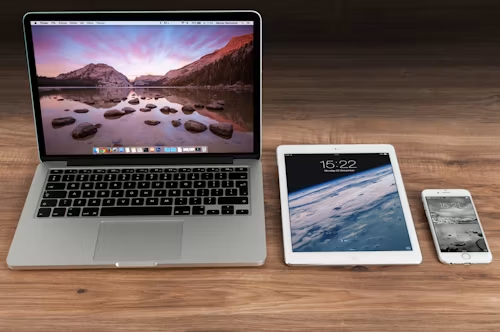
A laptop is built first for productivity — a physical keyboard, a full desktop-class (or near-desktop-class) operating system, and generally the most horsepower for demanding work like video editing or heavy multitasking.
A tablet is built first for consumption and light interaction — touch-first, generally lighter and more portable, with a simplified operating system optimised for apps rather than full desktop-grade software.
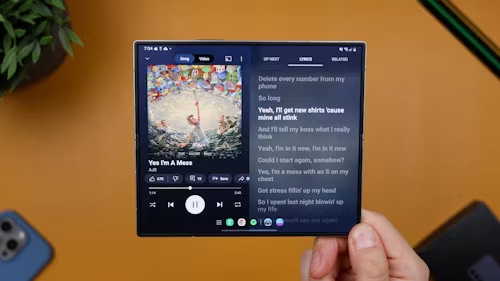
A 2-in-1 tries to be both — a device that functions as a tablet (often with a detachable or foldable keyboard) and a laptop, depending on how you’re using it in the moment.
When a Laptop Is the Right Call
If your work involves real multitasking — several demanding apps open simultaneously, video or photo editing, coding, or anything requiring desktop-grade software — a laptop remains the right tool. Touch and tablet-style interfaces still can’t fully replace a mouse and keyboard for precise, sustained work, and laptop-class chips generally outperform tablet chips for genuinely demanding tasks.
Choose a laptop if your primary use is work that benefits from full desktop software, heavy multitasking, or sustained performance under load.
When a Tablet Is the Right Call
If your use is mostly browsing, streaming, reading, light note-taking, or casual creative work (like drawing with a stylus), a tablet is often a better fit than a laptop, not just a lighter one. Tablets generally offer longer battery life for these lighter tasks, a more comfortable form factor for reading or watching content, and — particularly with the iPad line — an app ecosystem specifically tuned for touch interaction rather than one adapted from a desktop interface.
Choose a tablet if your primary use is consumption-focused, casual, or touch-first, and you don’t need full desktop software.
When a 2-in-1 Is the Right Call
A 2-in-1 makes the most sense for people who genuinely move between both modes regularly — taking handwritten notes in a lecture or meeting, then switching to a keyboard for writing or emailing shortly after, all on one device. The trade-off is real, though: 2-in-1s often compromise somewhat on both ends compared to a dedicated laptop or dedicated tablet, and detachable keyboards in particular tend to feel less sturdy on your lap than a traditional laptop hinge.
Choose a 2-in-1 if: You regularly need both modes throughout your day and would rather carry one imperfect device than two dedicated ones.
A Practical Way to Decide
Think about your last two weeks of device use, honestly:
- Mostly typing, multitasking across several windows, or running specific desktop software → laptop
- Mostly reading, browsing, watching, or light single-app use → tablet
- Genuinely both, in roughly equal measure, and you’d rather not carry two devices → 2-in-1
Most people overestimate how much they’ll use the “flexible” mode of a 2-in-1 and end up mainly using it in one mode anyway — worth being honest with yourself about which mode that would actually be before paying a premium for flexibility you might not use.
The Storage and Software Trap to Avoid
Whichever category you land in, don’t assume you’re getting a full desktop experience just because a tablet has a keyboard attached. Many tablet operating systems, even with a keyboard accessory, still run a mobile-style app ecosystem rather than full desktop software — meaning certain professional programs simply aren’t available in the same form as on a laptop. If your work depends on specific desktop software, verify it actually runs on a tablet or 2-in-1’s operating system before assuming a keyboard accessory closes that gap.
Bottom Line
This isn’t really a budget decision — it’s a use-case decision, and getting it wrong means either fighting an underpowered tablet for real work or lugging around a laptop for tasks a tablet would have handled more comfortably. Be honest about how you actually spend your time on a device, not how you imagine you might use it, and choose accordingly. For more on choosing within the tablet category specifically, see our tablet buying guide.