How to Extend Your Phone’s Battery Lifespan (and Signs It Needs Replacing)
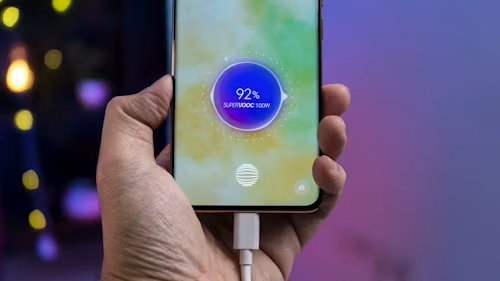
Every phone battery degrades over time — that’s simple chemistry, not a defect. But how you charge and use your phone day to day has a real, measurable effect on how fast that degradation happens. Here’s what actually helps extend phone battery lifespan and how to tell when a battery is genuinely due for replacement rather than just “getting old”.
Why Batteries Degrade in the First Place
Modern phones use lithium-ion batteries, which degrade through a natural chemical process every time they’re charged and discharged. Manufacturers typically rate batteries for 500-1,000 full charge cycles before capacity noticeably drops — a “cycle” being one full 0-to-100% charge, which can be spread across several partial charges rather than one sitting. Heat, constant full charging, and letting the battery sit at very low or very high charge for extended periods all accelerate this natural degradation.
What Actually Helps Extend Battery Lifespan
Avoid keeping your phone at 100% or 0% for long stretches. Batteries degrade fastest when kept at full charge or fully depleted for extended periods. Keeping your battery generally between 20% and 80% during regular use is one of the most well-supported habits for slowing long-term degradation — which is exactly why both Apple and Android manufacturers have built optimised charging features (below) around this principle.
Turn on optimised or adaptive charging. Most modern phones include a feature that learns your daily routine and delays charging past 80% until shortly before you typically wake up or unplug, reducing the amount of time your phone spends sitting at full charge overnight. On iPhone, check Settings → Battery → Battery Health & Charging → Optimised Battery Charging; on Android, look for a similarly named option under Battery settings.
Keep your phone out of extreme heat. Heat is one of the fastest ways to degrade a lithium-ion battery, more so than charging habits alone. Avoid leaving your phone in direct sunlight or in a hot car or charging it under a pillow or blanket where heat can’t dissipate.
Use the charger that came with your phone, or a certified equivalent. Cheap, uncertified chargers can deliver inconsistent power that generates more heat during charging, accelerating wear over time. This doesn’t mean you need the manufacturer’s most expensive accessory — just a properly certified one (MFi-certified for iPhone, for example).
Don’t leave your phone plugged in constantly once it’s fully charged. While modern phones are generally good at preventing overcharging damage, minimising how long the battery spends sitting at 100% is still a reasonable habit, particularly overnight.
If storing a phone for a long time, charge it to around 50% first. Storing a device at full charge or fully dead for weeks or months accelerates degradation more than storing it at a moderate charge level.
Signs Your Battery Actually Needs Replacing
Check your battery health percentage directly. On iPhone, go to Settings → Battery → Battery Health & Charging to see your maximum capacity as a percentage of original capacity. Most Android phones offer a similar reading through Settings or a manufacturer’s dedicated app. As a general guideline:
- 85% or above: still performing close to normal; no action needed
- 80-85%: you may start noticing somewhat reduced battery life, but replacement isn’t urgent.
- Below 80%: noticeable reduced battery life is likely; replacement is worth considering, particularly if it’s affecting your daily use
Watch for unexpected shutdowns. If your phone powers off suddenly at 20-30% remaining charge, rather than gradually draining to zero, that’s a strong sign the battery can no longer reliably deliver power under load — a clear signal it needs replacing regardless of what the health percentage shows.
Notice if your phone gets unusually warm during normal use or charging. A battery that’s degrading can generate more heat than it used to during ordinary charging or use — worth having checked if it’s a new or worsening pattern.
Physical swelling is a genuine safety issue, not just a performance one. If you notice your phone’s back panel or screen bulging or separating slightly, stop using it and get the battery replaced immediately — a swollen lithium-ion battery is a fire risk, not just a sign of wear.
Is Battery Replacement Worth It?
For a phone that’s otherwise working well and you don’t have plans to upgrade soon, replacing the battery is often the most cost-effective way to meaningfully extend how long you keep the device — typically far cheaper than buying a new phone, whether done through the manufacturer or a reputable third-party repair shop.
Bottom Line
You can’t stop battery degradation entirely, but keeping your phone out of extreme heat, avoiding constant full charges, and using optimised charging features can meaningfully slow it down. Check your battery health periodically, and treat a health reading below 80% — or any sign of physical swelling — as your cue to get it replaced rather than living with steadily worsening battery life.