Buying a Used iPhone: The Essential Checks You Can’t Afford to Skip
A used iPhone can be one of the smartest tech purchases you make — or an expensive mistake, depending on how carefully you check it before handing over your money. Here’s exactly what to verify, whether you’re buying from a marketplace listing, a friend, or a used-device retailer.
1. Check the IMEI and Activation Lock Status First
Before anything else, get the phone’s IMEI number (found in Settings → General → About, or on the box) and run it through Apple’s own Check Coverage tool or a carrier’s IMEI checker. This tells you two critical things:
- Whether the phone is reported lost or stolen. A blacklisted IMEI can get the phone disconnected from cellular service entirely, sometimes without warning, even if it currently works fine.
- Whether Activation Lock is still tied to the previous owner’s Apple ID. If the seller hasn’t signed out of Find My and removed the device from their account, you could end up with an iPhone you can’t activate at all. Ask the seller to do this before you pay, and confirm it’s done — Settings → General → Transfer or Reset iPhone should show no Apple ID signed in, or you can verify directly with Apple’s coverage tool.
This single check eliminates the two most common ways people get scammed buying a used iPhone. Don’t skip it, even if the seller seems trustworthy.
2. Verify It’s Not Carrier-Locked (Unless You Want It To Be)
Some iPhones are locked to a specific carrier, meaning they’ll only work with that carrier’s SIM card. If you’re planning to switch carriers or want the flexibility to use any SIM, ask the seller directly whether the phone is unlocked, and verify it yourself if possible by testing with a SIM from a different carrier before buying. Apple’s coverage tool linked above will also show carrier lock status when you enter the IMEI.
3. Check Battery Health
Battery degradation is one of the most common reasons people sell a used iPhone, and it’s an easy thing for a casual buyer to miss. Go to Settings → Battery → Battery Health & Charging and check the Maximum Capacity percentage.
- 85% or above: generally still solid, day-to-day battery life
- Below 80%: you’ll likely notice reduced battery life, and a replacement (typically $70-100 at an Apple Store, less at third-party repair shops) may be worth factoring into your offer
- “Service” warning displayed: the battery is degraded enough that Apple itself is flagging it — treat this as an expense you’ll need to budget for soon
Always ask the seller for a screenshot of this screen before buying sight-unseen, and verify it yourself in person if possible — screenshots can be faked or come from a different device.
4. Test Every Button, Port, and Sensor
Before you buy, physically test:
- Face ID or Touch ID — make sure it unlocks reliably, not just “eventually”
- All buttons — volume, power, mute switch (or action button on newer models)
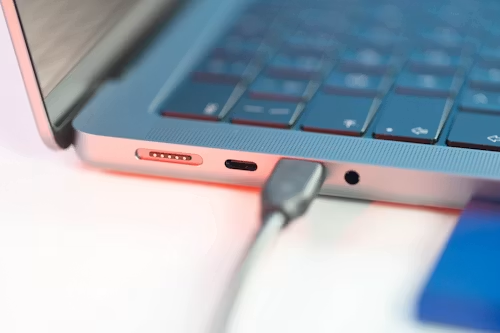
- Charging port — plug in a cable and confirm it charges without wiggling the connector to get a connection
- Speakers and microphone — play audio and make a test call or voice memo
- Cameras — check both front and rear, including flash and autofocus
- Screen — look for dead pixels, discolouration, or touch responsiveness issues across the entire display, including the very edges
A phone that “works fine” on a quick glance can still have a failing charging port or an unresponsive corner of the screen that only shows up under real use.
5. Inspect for Water Damage
Water damage isn’t always visible from the outside, but it can cause problems that surface weeks or months later. If you have physical access to the phone, most iPhones have a liquid contact indicator inside the SIM tray slot that turns red or pink if it’s been exposed to moisture — worth checking with a flashlight before you buy, since exterior condition alone won’t reveal this.
6. Confirm the iOS Version and Update Eligibility
Check Settings → General → About for the current iOS version, and cross-reference the model against Apple’s list of currently supported devices. Buying a phone that’s already at or near the end of its software update lifespan means you’ll lose security updates and new features sooner than you might expect — worth knowing before you commit, especially if you’re planning to keep the phone for several years.
7. Check the Screen Time / Find My History (If Possible)
If the seller is willing, asking to briefly see the device’s usage history or confirming there’s no lingering Family Sharing or Screen Time restriction tied to another account can save you a headache later — restrictions set up by a previous owner can sometimes persist in ways that are annoying to unwind after purchase.
8. Match the Price to the Real Condition, Not the Listing Description
“Excellent condition” means different things to different sellers. Once you’ve gone through the checks above, weigh the actual battery health, screen condition, and any functional issues against the asking price — not just against the seller’s own description. A phone with 80% battery health and a hairline crack should cost meaningfully less than one in genuinely excellent shape, even if both are listed as the same storage and model.
Where You Buy Matters Too
- Certified refurbished (Apple or reputable retailers): typically the safest option — these come with some warranty coverage and have already been inspected and battery tested, usually for a modest premium over a private sale.
- Private marketplace sales: can offer the best prices, but put the entire burden of verification on you. Meet in person when possible, and run through every check above before paying.
- Third-party used electronics retailers: often fall in between on price, and reputable ones will disclose battery health and condition grading upfront — worth checking their return policy before buying.
Bottom Line
A used iPhone can easily save you hundreds of dollars over buying new, but only if you actually verify what you’re getting. The IMEI and Activation Lock check alone prevents the two most damaging outcomes, and battery health plus a full functional test will catch nearly everything else that matters. Treat these checks as non-negotiable, not optional extras — a seller unwilling to let you do them is itself a red flag worth walking away from.