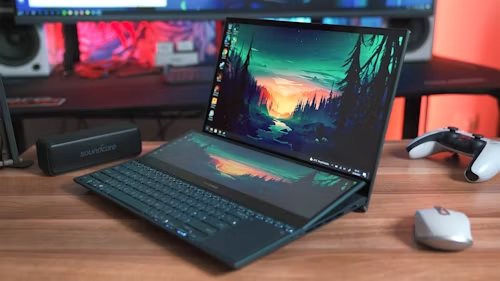
Quick answer: For most gamers, the Acer Predator Helios Neo 16 AI (~$1,699, RTX 5070) is the best overall pick—strong 1440p performance without flagship pricing. On a tight budget, the MSI Cyborg 15 (~$999, RTX 5060) delivers real gaming performance for the least money. If portability and build quality matter most, get the Razer Blade 14 (~$1,999, RTX 5070, OLED).
Picks by Budget
| Laptop | Best For | GPU | Screen | Price |
|---|---|---|---|---|
| MSI Cyborg 15 | Best budget | RTX 5060 | 15.6″ IPS | ~$999 |
| MSI Katana 15 HX | Best budget RTX 5070 | RTX 5070 | 15.6″ IPS | ~$999 |
| HP OMEN Transcend 14 | Best compact/OLED value | RTX 5060 | 14″ OLED | ~$1,099 |
| Lenovo LOQ 15 | Best all-round value | RTX 5060/5070 | 15.6″ IPS | ~$1,299 |
| Acer Predator Helios Neo 16 AI | Best overall | RTX 5070 | 16″ IPS | ~$1,699 |
| Razer Blade 14 | Best premium/portable | RTX 5070 | 14″ OLED | ~$1,999 |
What Actually Matters When Comparing Specs
The GPU name isn’t the whole story—the power limit (TGP) is. Two laptops can both ship an “RTX 5070,” but one runs it at 85 watts in a thin chassis and the other at 115-140 watts in a bulkier one. The higher-wattage version can be meaningfully faster in the same games. If a listing doesn’t mention the GPU’s wattage, check the manufacturer’s spec sheet before assuming two “same GPU” laptops perform the same.
VRAM matters more at higher resolutions. An RTX 5060 with 8GB of VRAM handles 1080p gaming comfortably but can start limiting frame rates in the most demanding titles at 1440p. If you plan to game at 1440p or higher, prioritize an RTX 5070 or step up in VRAM rather than resolution-chasing on a 5060.
Screen refresh rate beats screen resolution for competitive games. A 1080p or 1440p panel at 165 Hz+ will feel noticeably smoother in fast-paced shooters than a 4K panel at 60 Hz—and it’s easier on the GPU, too. Save the 4K panel for single-player and creative work.
OLED vs. IPS is a real trade-off, not just a price bump. OLED panels (like those on the Razer Blade 14 and HP OMEN Transcend 14) deliver deeper blacks and faster response times but can be more prone to long-term burn-in with static UI elements and typically cost more. IPS remains the safer, cheaper default for most buyers.
Picking by Use Case
Competitive/esports gaming: Prioritize refresh rate and GPU wattage over resolution. The Lenovo LOQ 15 or MSI Cyborg 15 both deliver smooth 1080p performance at a fair price.
AAA single-player gaming at 1440p: Step up to a real RTX 5070 with a higher TGP, like the Acer Predator Helios Neo 16 AI—the extra VRAM and power headroom pay off in demanding, graphically rich titles.
Travel and dorm-room use: The Razer Blade 14 and HP OMEN Transcend 14 pack strong performance into genuinely portable, premium-feeling 14-inch chassis—worth the premium if you’re carrying the laptop daily.
Tight budget, first gaming laptop: The MSI Cyborg 15 or MSI Katana 15 HX both get you into real RTX-class gaming for under $1,000—just confirm the specific RAM and storage configuration before buying, since base models sometimes ship with less than you’d want.
A Storage Note Worth Planning For
Most gaming laptops in this price range ship with a single 512GB-1TB SSD, which fills up fast once you install a handful of modern AAA titles. Budgeting for an upgrade or an external drive from day one saves you from deleting games to make room for new ones later.
Bottom Line
Most gamers should land on a 16-inch RTX 5070 laptop in the $1,300-1,700 range—it’s the sweet spot between real 1440p performance and reasonable pricing. If money’s tight, an RTX 5060 machine like the MSI Cyborg 15 still delivers a genuinely good gaming experience for under $1,000. Save the premium OLED 14-inch laptops for when portability is as important to you as raw performance.
Running out of space for game installs? See our guide on the best external SSDs in 2026 for fast, portable storage that won’t slow down load times. Pricing reflects US retail as of publication and may vary by retailer and configuration.