Does It Actually Work With My iPhone? The Essential AirPods, Apple Watch & Ecosystem Compatibility Guide
One of Apple’s biggest selling points is how well its devices work together — but “it just works” only holds true if your devices actually support the features you’re expecting. This guide walks through the most common compatibility questions we hear, so you’re not caught off guard after you’ve already bought something.
AirPods and iPhone: What You Need to Know
Any AirPods model will pair with any iPhone that supports Bluetooth audio, which in practice means essentially every iPhone still in common use. Basic playback, calls, and Siri access work universally.
Where compatibility actually matters is with the advanced features:
- Spatial Audio and head tracking: requires AirPods Pro or AirPods Max, paired with a reasonably recent iPhone running a current iOS version. Older AirPods (like the original or second-generation models) don’t support this regardless of which iPhone you pair them with—the hardware itself lacks the necessary sensors.
- Automatic device switching: works across your Apple devices as long as they’re signed into the same Apple ID and have Bluetooth and Wi-Fi enabled, but requires a reasonably modern OS version on each device.
- Live translation and enhanced conversation features: newer additions like these are typically limited to the most recent AirPods Pro generation and a current iOS version — always double-check before assuming an older AirPods model will get a feature announced for a new one, since Apple frequently ties these to updated hardware inside the earbuds themselves, not just software.
- Hearing health features (like hearing protection and clinical-grade hearing aid functionality): these are tied to specific AirPods Pro generations, not older models.
The practical rule of thumb: basic listening works with everything; anything described as a “new” AirPods feature at a launch event is worth double-checking against your specific AirPods generation before assuming you’ll get it.
Apple Watch and iPhone: The Pairing Requirement
This is the one people get tripped up on most often: every Apple Watch requires an iPhone to set up and, for most models, to fully function day-to-day. If you’re buying an Apple Watch as a gift or upgrading, check two things first:
- Your iPhone model: each new Apple Watch generation has a minimum supported iPhone model and iOS version. If you’re running an older iPhone, a brand-new Apple Watch may not be supported for setup at all.
- GPS vs. Cellular: GPS-only Apple Watch models rely on your iPhone being nearby (or on the same Wi-Fi network) for calls, texts, and internet-dependent features when you’re away from your phone. Cellular models can operate independently with their own connection, for an added monthly carrier fee — useful for runs, gym sessions, or days you genuinely want to leave your phone behind.
Unlocking your Mac with Apple Watch is a separate feature worth knowing about if you own both: it requires two-factor authentication enabled on your Apple ID, both devices signed into the same account, and Wi-Fi and Bluetooth active on each. It’s a small convenience, but one people frequently don’t realise is available.
Cross-Device Handoff: What Actually Requires What
Handoff, Universal Clipboard, and similar continuity features generally require:
- The same Apple ID signed in on all devices
- Bluetooth and Wi-Fi enabled on each device
- Devices within roughly Bluetooth range of each other
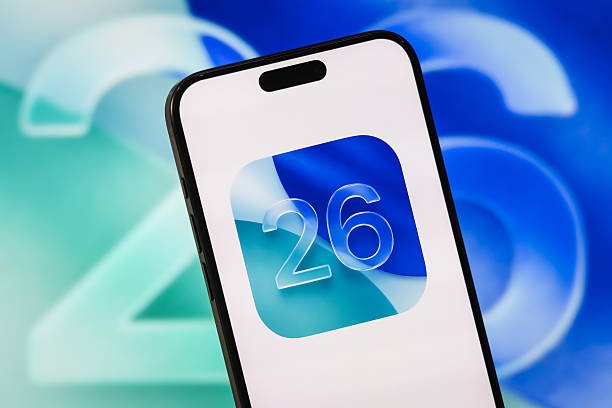
- Reasonably current OS versions across the board — an iPhone running the newest iOS paired with a Mac running a very old macOS version can break these features even though each device works fine on its own
If a continuity feature suddenly stops working, the most common fix is checking that every device involved is updated — mismatched OS versions are the single biggest cause of “this used to work, and now it doesn’t.”
Buying Advice: Check Before You Buy, Not After
If you’re buying an AirPods model, Apple Watch, or any accessory specifically for a feature you saw advertised, take thirty seconds before checkout to confirm:
- Which exact generation of the accessory supports that feature (not just “the newest AirPods”, but the specific model number)
- The minimum iPhone/Watch/Mac model required
- The minimum OS version required and whether your device can actually run it
This is especially worth doing for gifts — it’s easy to buy a shiny new AirPods Pro for someone still running an iPhone from several years back, only to find the headline feature you wanted them to have doesn’t work on their setup.
Bottom Line
Apple’s ecosystem is genuinely well integrated, but “integrated” isn’t the same as “unlimited backward compatibility”. Basic functions work broadly across generations; newer marquee features are usually gated behind specific hardware and OS combinations. When in doubt, check the compatibility list on Apple’s own product page before you buy — it takes less time than dealing with a return.