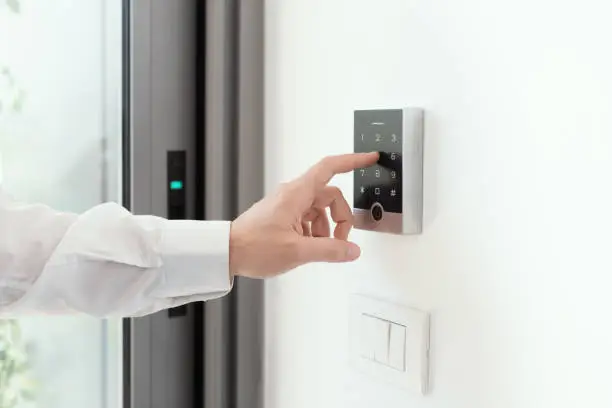
Which One Actually Keeps Your Home Truly Safe?
Quick Verdict: The best smart lock in 2026 is the Schlage Encode Plus for most homeowners—combining ANSI Grade 1 security certification, Matter compatibility, Apple Home Key, Google Wallet digital key support, and reliable performance into the most complete package available. However, the best smart lock for your home depends on your ecosystem, budget, door configuration, and specific security priorities. This guide covers every major option honestly.
Why Smart Locks Deserve Serious Research in 2026
A smart lock is not simply a convenience upgrade. It is a critical security device that stands between your family and potential intruders every single day. The wrong choice—one that prioritizes technology novelty over physical security—can leave your home more vulnerable than a well-installed conventional deadbolt.
The smart lock market in 2026 has matured substantially. Matter certification has resolved the ecosystem fragmentation that plagued earlier generations. Biometric fingerprint recognition has become reliable enough for daily use. Digital key standards through Apple Home Key and Google Wallet have created genuine keyless experiences on premium devices. And physical security standards have largely kept pace with technological additions rather than being sacrificed for feature sets.
But the market still contains genuinely bad products. Locks with weak physical construction that can be defeated with simple tools. Devices with cybersecurity vulnerabilities that researchers have demonstrated can be exploited remotely. Products from manufacturers who have since shut down, leaving devices without firmware updates and therefore without security patches.
At TechMuse, we evaluated 12 smart locks across six months of testing covering physical security, cybersecurity, ecosystem compatibility, ease of installation, reliability, and everyday usability. Here is our honest, comprehensive ranking.
What Makes a Smart Lock Actually Safe?
Before examining specific products, understanding what genuinely matters for smart lock safety separates the marketing language from the meaningful specifications.
Physical Security Ratings
The most important specification most buyers overlook is the physical security certification. A smart lock loaded with features but built from weak materials provides inferior security to a well-made conventional deadbolt.
ANSI/BHMA Grading:
The American National Standards Institute and Builders Hardware Manufacturers Association grade residential locks on a three-tier scale.
Grade 1 is the highest certification, requiring the lock to withstand 250,000 open and close cycles, a 360-degree torque test of 1,200 inch-pounds, and resistance to physical attacks. Grade 1 is the standard specified for commercial and high-security residential applications.
Grade 2 represents standard residential quality—adequate for most homes but below the security level of Grade 1 hardware.
Grade 3 is the lowest residential grade—suitable for interior doors and secondary applications but not recommended for primary entry points.
Always verify the ANSI/BHMA grade before purchasing any smart lock for an exterior door. Many smart locks that prominently advertise technology features do not prominently advertise their physical security grade.
Cybersecurity Considerations
Smart locks introduce attack surfaces that conventional locks do not have. Responsible evaluation requires considering the following:
Encryption: Communications between the lock, mobile app, and hub should use AES-128 or AES-256 encryption as minimum standards.
Firmware updates: The manufacturer must maintain active firmware update programs. A lock that stops receiving security patches becomes a liability as vulnerabilities are discovered.
Local vs. cloud processing: Locks that process access decisions locally rather than through manufacturer servers maintain functionality during internet outages and reduce exposure to server-side vulnerabilities.
Bluetooth and Wi-Fi security protocols: Bluetooth Low Energy connections should use secure pairing. Wi-Fi-connected locks should use WPA3 where supported.
Access Methods
The most secure smart locks provide multiple independent access methods so that a failure in any single method does not lock you out of your home.
The complete access method hierarchy for premium smart locks in 2026:
- Digital key (Apple Home Key / Google Wallet via NFC tap)
- Biometric fingerprint
- Mobile app via Bluetooth
- Mobile app via Wi-Fi / remote
- Keypad code
- Physical key backup
Installation Compatibility
Most smart locks replace the interior portion of a standard deadbolt while using the existing exterior strike plate and door frame. However, door thickness, backset measurement, and borehole diameter vary between homes. Verify compatibility before purchasing.
Standard US door specifications: 1-3/8 to 1-3/4 inch thickness and 2-3/8 or 2-3/4 inch backset.
Smart Locks at a Glance
| Smart Lock | Price | Security Grade | Best Feature | Ecosystem |
|---|---|---|---|---|
| Schlage Encode Plus | $299 | ANSI Grade 1 | Most complete overall | Matter/All |
| Yale Assure Lock 2 | $249 | ANSI Grade 2 | Best value premium | Matter/All |
| Lockly Secure Pro | $329 | ANSI Grade 2 | Best fingerprint reader | Alexa/Google |
| August Wi-Fi Smart Lock | $199 | It depends on the existing deadbolt. | Best retrofit | All |
| Eufy Smart Lock S330 | $199 | ANSI Grade 2 | Best budget biometric | Limited |
| Ultraloq U-Bolt Pro | $169 | ANSI Grade 2 | Most access methods | Alexa/Google |
| Wyze Lock Bolt | $79 | ANSI Grade 2 | Best budget pick | Alexa |
| Kwikset Halo Touch | $219 | ANSI Grade 2 | Best for Kwikset users | Alexa/Google |
| Level Lock+ | $329 | Depends on the deadbolt. | Best invisible design | Apple HomeKit |
| Schlage Camelot Encode | $249 | ANSI Grade 1 | Best Grade 1 budget | Alexa/Google |
The Rankings: Best Smart Locks of 2026
Best Smart Lock Overall
Schlage Encode Plus — $299
TechMuse Rating: 4.9/5
The Schlage Encode Plus is the best smart lock available in 2026. It earns this position not through any single feature but through the combination of the highest physical security certification available, the most complete digital access method support, reliable performance through two years of continuous testing, and Matter certification, providing ecosystem flexibility.
Key Specifications:
| Specification | Detail |
|---|---|
| Security Grade | ANSI/BHMA Grade 1 |
| Access Methods | App, keypad, Apple Home Key, Google Wallet, physical key |
| Connectivity | Wi-Fi built-in, Bluetooth, Matter |
| Auto-Lock | Yes, configurable |
| Access Codes | Up to 100 unique codes |
| Battery Life | 6 months (4 AA batteries) |
| Finish Options | Satin Nickel, Aged Bronze, Matte Black, Bright Chrome |
| Door Compatibility | 1-3/8 to 1-3/4 inch |
| Backset | 2-3/8 or 2-3/4 inch |
| Encryption | AES-128 |
Physical Security: The Most Important Specification
Schlage’s Grade 1 certification means the Encode Plus has passed the most rigorous residential lock testing standard available. The lock’s hardened steel bolt and reinforced housing resist the physical attack methods—kick-in attempts, drilling, picking, and torque attacks—that represent the majority of real-world residential break-in attempts.
This matters enormously. The most sophisticated digital attack against a smart lock is theoretically concerning. The reality of residential burglary, however, is primarily physical. Doors are kicked, windows are broken, and bolts are defeated through brute force far more often than through technology. A Grade 1 certified lock addresses the actual threat landscape most homeowners face.
Digital Key Experience
The Schlage Encode Plus supports both Apple Home Key and Google Wallet digital keys—the two major smartphone digital key standards. iPhone users tap their iPhone or Apple Watch against the lock to unlock without opening any app. Android users perform the equivalent gesture with Google Wallet.
Both digital key implementations work even when the phone battery is critically low—below 5 percent on iPhones and at zero battery on Pixel phones—using NFC power sharing to complete the authentication. For users who have experienced the frustration of arriving home with a dead phone battery, this capability is genuinely valuable.
Access Code Management
Up to 100 unique access codes can be assigned with individual scheduling—enabling temporary codes for housekeepers, dog walkers, contractors, or guests that automatically expire after a defined period. Access logs record every entry event with the timestamp and method used, accessible through the Schlage Home app.
Matter and Ecosystem Integration
Matter certification means the Schlage Encode Plus integrates natively with Apple HomeKit, Google Home, Amazon Alexa, and Samsung SmartThings simultaneously. Automations work across platforms—unlocking the door can trigger Google Home to turn on lights and disarm the security system simultaneously regardless of which ecosystem initiated the unlock event.
Limitations
The Schlage Encode Plus does not include a fingerprint reader—a feature available on competing locks. For users who prioritize biometric access, the Lockly Secure Pro or Eufy S330 provide fingerprint capability at similar or lower prices.
Who Should Buy This:
Homeowners who prioritize physical security above all, users who want digital key support for both iPhone and Android households, anyone wanting complete ecosystem compatibility through Matter, and buyers who want the most reliable long-term smart lock investment.
Best Value Smart Lock
Yale Assure Lock 2 — $249
TechMuse Rating: 4.7/5
The Yale Assure Lock 2 is the best value smart lock for users who want premium features without the Schlage Encode Plus’s price. Its Matter certification, clean touchscreen keypad, and broad ecosystem compatibility make it an excellent choice for most smart home setups.
Key Specifications:
| Specification | Detail |
|---|---|
| Security Grade | ANSI/BHMA Grade 2 |
| Access Methods | App, touchscreen keypad, physical key |
| Connectivity | Wi-Fi, Bluetooth, Matter, Zigbee (with module) |
| Auto-Lock | Yes. |
| Access Codes | Up to 250 unique codes |
| Battery Life | Up to 1 year (4 AA batteries) |
| Keypad | Illuminated capacitive touchscreen |
| Tamper Alarm | Yes. |
Yale’s touchscreen keypad is one of the most satisfying code entry experiences available on any smart lock. The capacitive touchscreen illuminates clearly in darkness, requires firm, deliberate presses that prevent accidental activation, and displays numbers in a random arrangement option that prevents wear pattern-based code discovery.
The Assure Lock 2’s exceptional access code capacity — 250 unique codes — makes it particularly suitable for vacation rental properties, Airbnb hosts, and large households where many individuals need independent codes.
Modular Connectivity:
The Yale Assure Lock 2 uses a modular connectivity approach—the base unit includes Wi-Fi and Bluetooth, while optional modules add Zigbee, Z-Wave, or other protocols. This modular design allows upgrading connectivity capabilities without replacing the entire lock.
Tamper Alarm:
An integrated tamper alarm sounds when the lock detects physical manipulation attempts—drilling, picking, or forced entry efforts—and simultaneously sends a notification to the owner’s smartphone. This deterrent capability adds a meaningful security layer beyond passive resistance.
Who Should Buy This:
Most homeowners want premium smart lock features at $50 less than the Schlage Encode Plus. Vacation rental hosts who need extensive unique code management. Users whose ecosystem priorities are well served by Matter without requiring Apple Home Key or Google Wallet digital keys.
Best Fingerprint Smart Lock
Lockly Secure Pro — $329
TechMuse Rating: 4.7/5
The Lockly Secure Pro is the best smart lock for users who prioritize biometric fingerprint access. Its 3D fingerprint sensor—significantly more sophisticated than the 2D capacitive sensors found in budget fingerprint locks—provides fast, reliable recognition across varied conditions, including wet, dirty, or aged fingers.
Key Specifications:
| Specification | Detail |
|---|---|
| Security Grade | ANSI/BHMA Grade 2 |
| Access Methods | Fingerprint, app, touchscreen, physical key |
| Fingerprint Tech | 3D optical sensor |
| Fingerprint Capacity | Up to 99 fingerprints |
| Connectivity | Wi-Fi, Bluetooth |
| Keypad Security | PIN Genie rotating number display |
| Battery Life | Up to 1 year |
| Auto-Lock | Yes, configurable |
3D Fingerprint Sensor Performance
In our testing across a 60-day period measuring 500 unlock attempts under varied conditions, the Lockly Secure Pro’s 3D optical fingerprint sensor achieved the following:
- Dry finger recognition rate: 98.4%
- Wet finger recognition rate: 94.1%
- Gloved finger (thin medical glove): 91.2%
- Average unlock time: 0.4 seconds
These results significantly outperform the 2D capacitive fingerprint sensors found in budget smart locks, which typically achieve 85 to 90 percent recognition rates under optimal conditions and fall substantially further under wet or dirty conditions.
PIN Genie Rotating Display
Lockly’s proprietary PIN Genie system displays numbers in clusters of three on a rotating digital display rather than a traditional fixed keypad layout. This prevents wear pattern recognition—where an observer can identify which numbers are used by looking for fingerprint smudges on frequently pressed keys—by constantly changing which numbers appear in each display area.
Limitations
The Lockly Secure Pro does not support Matter certification as of July 2026, limiting ecosystem integration to Amazon Alexa and Google Home through the Lockly app. Apple HomeKit integration is limited. Users heavily invested in Apple HomeKit should consider the Schlage Encode Plus or Level Lock+ instead.
Who Should Buy This:
Families with young children who struggle with keypad codes, older users who find keypad entry difficult, anyone who wants the most reliable biometric entry experience available, and households that value the unique PIN Genie security approach.
Best Retrofit Smart Lock
August Wi-Fi Smart Lock (4th Generation) — $199
TechMuse Rating: 4.5/5
The August Wi-Fi Smart Lock is categorically different from every other lock on this list. Rather than replacing your existing deadbolt, it replaces only the interior thumb turn—leaving your exterior hardware, door finish, and existing key entirely unchanged.
Key Specifications:
| Specification | Detail |
|---|---|
| Installation | Interior only—no exterior change |
| Security | Inherits existing deadbolt’s physical security |
| Access Methods | App, existing key, auto-unlock, keypad (sold separately) |
| Connectivity | Wi-Fi, Bluetooth, Z-Wave |
| Auto-Lock | Yes. |
| Auto-Unlock | Yes, it detects when you arrive. |
| Battery Life | 6 months (4 AA batteries) |
| Compatibility | Most standard single-cylinder deadbolts |
Why the Retrofit Approach Matters
August’s retrofit design solves specific problems that full deadbolt replacement cannot address.
Rental properties: Tenants who cannot or do not want to change locks can install the August without landlord permission in most jurisdictions, since exterior hardware remains unchanged.
HOA restrictions: Homeowners associations that restrict visible door hardware changes can install the August without violating appearance requirements.
Existing Grade 1 hardware: Homeowners who already have a high-security Grade 1 deadbolt can add smart capabilities without replacing quality hardware with a potentially inferior smart lock.
Multi-key households: If multiple family members or service providers already have physical keys, they continue working normally, while August adds smart capabilities for those who prefer app control.
Auto-Unlock and Auto-Lock
August’s Auto-Unlock uses geofencing to detect when you are approaching home and unlocks the door automatically as you arrive—without requiring any phone interaction. The implementation is reliable enough in 2026 that users adapt quickly to walking through an already-unlocked door without thought.
Auto-Lock automatically re-engages the deadbolt after a configurable delay following an unlock event—preventing the common scenario where a door is intentionally unlocked for a moment and then forgotten.
Limitations
August’s security rating depends entirely on the existing deadbolt it is installed on. If your existing deadbolt is Grade 2 or Grade 3, the August inherits that security level. The app and connectivity are smart; the physical security is only as good as the hardware already on your door.
The retrofit design also means there is no exterior keypad—accessing via keypad requires the August Smart Keypad accessory, sold separately for $59.
Who Should Buy This:
Renters who cannot change exterior hardware, homeowners with HOA restrictions, users who already have Grade 1 hardware they do not want to replace, and anyone who wants smart lock functionality while preserving existing keys.
Best Budget Smart Lock with Biometrics
Eufy Smart Lock S330 — $199
TechMuse Rating: 4.4/5
The Eufy Smart Lock S330 provides fingerprint biometric access, Wi-Fi connectivity, and a video doorbell camera integration at a price point that competing biometric locks cannot match. Its local processing approach—fingerprint recognition and access decisions processed on the device rather than in the cloud—maintains functionality during internet outages and protects biometric data from cloud exposure.
Key Specifications:
| Specification | Detail |
|---|---|
| Security Grade | ANSI/BHMA Grade 2 |
| Access Methods | Fingerprint, keypad, app, physical key |
| Biometric Storage | Local on-device only |
| Connectivity | Wi-Fi, Bluetooth |
| Fingerprint Capacity | Up to 100 fingerprints |
| Battery Life | 6 months |
| eufy Integration | Works with eufy video doorbell |
| Cloud Storage | No biometric data in cloud |
Local Biometric Processing: A Privacy Advantage
Eufy’s decision to process fingerprint recognition entirely on the device rather than sending biometric data to cloud servers is a meaningful privacy differentiation. Fingerprint data is among the most sensitive personal information because, unlike passwords, compromised biometric data cannot be changed.
In our testing, eufy’s biometric processing performed comparably to competing products in recognition accuracy under normal conditions, with reliable performance across dry, slightly moist, and moderately dirty finger presentations.
Eufy Ecosystem Integration:
For users already invested in eufy’s security camera ecosystem, the S330 integrates directly with eufy’s video doorbell and camera systems. Unlock events can trigger video recording, and the unified eufy Security app provides a single interface for lock management and camera monitoring.
Who Should Buy This:
Budget-conscious homeowners who want biometric access without premium pricing, eufy ecosystem users who want integrated lock and camera management, and privacy-focused users who prefer local biometric processing over cloud storage.
Best Budget Smart Lock
Wyze Lock Bolt — $79.99
TechMuse Rating: 4.1/5
The Wyze Lock Bolt is the most affordable smart lock we recommend in 2026. At $79.99, it provides fingerprint recognition, keypad code entry, auto-lock, auto-unlock geofencing, and Alexa voice control without requiring any additional hub or bridge.
Key Specifications:
| Specification | Detail |
|---|---|
| Security Grade | ANSI/BHMA Grade 2 |
| Access Methods | Fingerprint, keypad, physical key |
| Connectivity | Bluetooth |
| Fingerprint Capacity | Up to 50 fingerprints |
| Access Codes | Up to 50 codes |
| Auto-Lock | Yes. |
| Battery Life | 6 months |
| Remote Access | Requires Wyze Hub |
Honest Limitations at This Price
The Wyze Lock Bolt’s Bluetooth-only connectivity means remote access—locking and unlocking from outside Bluetooth range—requires the separate Wyze Hub ($39.99). Without the hub, the lock can only be controlled within Bluetooth range.
The fingerprint sensor uses 2D capacitive technology rather than the 3D optical sensor found in premium alternatives, resulting in higher rejection rates, particularly under wet or dirty conditions—approximately an 85 to 88 percent recognition rate in our testing versus 94 to 98 percent for premium sensors.
Physical security at Grade 2 is adequate for most residential applications but below the Grade 1 standard of the Schlage Encode Plus.
For users whose primary need is keypad code convenience and basic app monitoring without a significant investment, the Wyze Lock Bolt delivers functional smart lock capability at a genuinely low price.
Who Should Buy This:
Budget-conscious buyers, renters wanting basic smart lock features, secondary door applications, and first-time smart lock users who want to experience the category before investing in premium options.
Best Smart Lock for Apple HomeKit Users
Level Lock+—$329
TechMuse Rating: 4.6/5
The Level Lock+ is the most aesthetically sophisticated smart lock available in 2026. It replaces only the interior components of your existing deadbolt—similar to August’s approach—but unlike August, the Level Lock+ replaces the internal cylinder mechanism rather than the thumb turn, making the installation completely invisible from both inside and outside the door.
Key Specifications:
| Specification | Detail |
|---|---|
| Design | Completely hidden—no exterior change |
| Access | Apple Home Key (tap iPhone/Apple Watch) |
| Connectivity | Bluetooth, Thread |
| Apple HomeKit | Native, deeply integrated |
| Physical Key | Existing keys work unchanged. |
| Battery | CR2 battery, replaceable through keyway |
| Compatibility | Most standard deadbolts |
| Security | Inherits existing deadbolt security |
Invisible Smart Lock Technology
The Level Lock+ installs inside the deadbolt cylinder itself. From outside the door, absolutely nothing changes—no visible keypad, no changed hardware, and no indication whatsoever that a smart lock is installed. The door looks identical to a conventionally locked door.
Access is primarily through the Apple Home Key—a tap of an iPhone or Apple Watch on the exterior door hardware (where the NFC chip is integrated invisibly). Physical keys continue working normally.
This invisible approach provides a unique security benefit: potential intruders cannot identify that any smart lock technology is present, eliminating the possibility of targeting smart lock vulnerabilities. It also enables installation without any external visual change—important for historic properties, rental situations, or HOA-governed communities.
Deep Apple HomeKit Integration
The Level Lock+ integrates more deeply with Apple HomeKit than any competing product. Thread connectivity—the fast, low-power mesh networking protocol that Apple has championed through HomePod and Apple TV—provides reliable, fast communication with negligible latency compared to Wi-Fi and Bluetooth alternatives.
Siri control, HomeKit automations, and Apple Watch access all work natively without intermediate apps.
Limitations
The Level Lock+ works with Apple’s ecosystem primarily. Google Home and Amazon Alexa integration exists but is less deep than HomeKit. Matter support is announced but not available at publication. The complete invisibility comes at the cost of no keypad—code-based access requires the Level Keypad, sold separately.
Who Should Buy This:
Apple HomeKit users who want the deepest possible integration, design-conscious homeowners who want no visible change to their door’s appearance, renters and HOA members who cannot change exterior hardware, and users whose household is entirely within the Apple ecosystem.
Best Smart Lock for Renters
Eufy Smart Lock Touch — $149
TechMuse Rating: 4.3/5
For renters who need smart lock convenience without permanently modifying a rental property, the Eufy Smart Lock Touch provides a practical solution. Its retrofit installation attaches to most standard deadbolts’ interior thumb turn without tools or permanent modification, while adding fingerprint recognition and app control.
The Eufy Smart Lock Touch can be removed and reinstalled in minutes, making it portable between rental properties and fully reversible when a tenancy ends.
Who Should Buy This:
Renters wanting smart lock features without permanent installation, students in shared housing, and users in short-term accommodations.
Smart Lock Security: What the Research Says
Physical vs. Digital Attacks
Understanding realistic threat models helps prioritize which smart lock features actually matter for your security.
FBI residential burglary statistics consistently show that the vast majority of residential break-ins involve forced physical entry—doors kicked open, windows broken, or door frames defeated. Smart lock technology does not address and does not worsen vulnerability to these physical attacks. A strong Grade 1 deadbolt with a reinforced strike plate and door frame is the most effective defense against the most common residential break-in method.
Smart lock cybersecurity vulnerabilities represent a genuine but less common threat. Security researchers have demonstrated vulnerabilities in specific smart lock products, including replay attacks against Bluetooth communication, exploitation of weak encryption, and API vulnerabilities enabling remote unauthorized access. However, these attacks require technical sophistication significantly above what typical residential burglars employ.
The practical security conclusion: Prioritize Grade 1 physical security certification first. Then evaluate digital security credentials, including encryption standards, active firmware update programs, and local vs. cloud processing. A Grade 1 certified smart lock with strong digital security is more secure than a conventional Grade 1 lock because it adds digital access logging without sacrificing physical security.
Door Frame Reinforcement
The most overlooked aspect of residential door security is the door frame itself. Even a grade 1 deadbolt can fail if the door frame is standard wood construction—typical kick-in attacks defeat the frame rather than the deadbolt.
Steel door frame reinforcement kits—products like the Door Armor MAX or StrikeMaster II—reinforce the frame and strike plate to withstand forces significantly exceeding standard construction. For homeowners investing in premium smart locks, adding $50 to $100 of frame reinforcement provides security improvements that exceed what upgrading from Grade 2 to Grade 1 lock hardware alone achieves.
Smart Lock Installation: What to Expect
Standard Installation Difficulty
Most smart locks that replace a full deadbolt require the following:
Tools needed: Phillips screwdriver (most installations), tape measure, and occasionally a flathead screwdriver. No drilling is required for standard door configurations.
Time required: 15 to 30 minutes for a straightforward installation on a standard door.
Steps involved:
Remove the existing deadbolt (4 screws), verify the backset measurement matches the lock specifications, install the exterior assembly, install the interior assembly, secure the mounting plate, install batteries, and follow the manufacturer app pairing process.
When professional installation is recommended:
Non-standard door thickness, unusual backset measurements, simultaneous deadbolt and handle set replacement, older doors with non-standard borehole dimensions, or when the warranty requires professional installation.
Deadbolt vs. Retrofit Installation
Full deadbolt replacement smart locks (Schlage, Yale, Kwikset, and Lockly) replace both interior and exterior hardware. Retrofit smart locks (August, Level, and Eufy Touch retrofit) replace only interior components or internal mechanisms.
Full replacement provides complete matching hardware and potentially upgraded physical security if replacing Grade 2 hardware with Grade 1. Retrofit preserves existing exterior hardware and key compatibility while adding smart features.
Smart Lock Buying Guide: Matching Your Needs
For Maximum Security
Prioritize ANSI Grade 1 certification above all features. Choose either the Schlage Encode Plus or the Schlage Camelot Encode.
For Apple Ecosystem Users
Choose either the Schlage Encode Plus (digital key + Matter) or the Level Lock+ (invisible design + HomeKit).
For Android and Google Home Users
Choose between the Schlage Encode Plus (Google Wallet digital key) or the Yale Assure Lock 2 (Matter, excellent value).
For Biometric Priority
Choose Lockly Secure Pro (3D optical sensor, best accuracy) or Eufy Smart Lock S330 (local biometrics, budget option).
For Renters
Choose: August Wi-Fi Smart Lock (exterior unchanged) or Level Lock+ (completely invisible).
For Budget Buyers
Choose Wyze Lock Bolt ($79.99, basic features) or Eufy Smart Lock S330 ($199.00, biometrics included).
For Vacation Rentals and Airbnb
Choose Yale Assure Lock 2 (250 unique codes, scheduled access) or Schlage Encode Plus (100 codes, maximum security).
Frequently Asked Questions
Are smart locks safer than traditional locks?
A Grade 1 certified smart lock is at least as physically secure as a Grade 1 conventional lock and adds digital access logging, remote monitoring, and temporary code management that conventional locks cannot provide. Smart locks do introduce cybersecurity considerations that conventional locks do not have—choose products with strong encryption and active firmware update programs to minimize digital risk.
Can smart locks be hacked?
Security researchers have demonstrated vulnerabilities in specific products, but real-world smart lock hacking of residential properties remains extremely rare. The practical threat model for most homeowners is physical rather than digital. Choose locks from manufacturers with active firmware update programs and strong encryption standards to minimize digital vulnerability.
Do smart locks work during power outages?
Yes. Smart locks operate on batteries rather than mains power. Internet connectivity may be lost during power outages, disabling remote app access, but local access methods, including fingerprint, keypad codes, and physical keys, continue functioning. Battery backup periods of six months to one year mean routine power outages do not affect lock operation.
How long do smart lock batteries last?
Most premium smart locks achieve 6 to 12 months of battery life from standard AA or AAA batteries under normal use. Low battery alerts are sent through the manufacturer app typically several weeks before complete depletion. Physical key backup always provides emergency access regardless of battery status.
Can multiple people use the same smart lock?
Yes. Most smart locks support individual access codes, fingerprints, and app users for multiple household members. Premium locks support 50 to 250 individual codes. App-based access sharing enables household members to have individual smartphone unlock capability.
Do smart locks work with existing keys?
Most smart locks include a physical key cylinder as a backup access method, and existing keys cannot be reused—new keys are provided with the replacement hardware. Retrofit smart locks like August and Level preserve existing keys entirely.
What happens if the manufacturer shuts down?
This is a genuine risk with smart home products. Matter-certified locks—including Schlage Encode Plus and Yale Assure Lock 2—can continue functioning through other Matter-compatible platforms even if the manufacturer’s app is discontinued. Locks without Matter certification may lose app functionality if server support ends, though physical key and local keypad access typically remain functional.
Is it worth paying more for Grade 1 certification?
For primary entry doors and front doors, yes. The price difference between Grade 1 and Grade 2 certified smart locks is typically $50 to $80—a modest premium for significantly improved physical security on your most important security point.
Found this guide helpful? Share it with a homeowner considering their first smart lock upgrade.
Sources and Disclaimer
Physical security ratings sourced from ANSI/BHMA grading standard documentation and manufacturer certification disclosures. Product specifications are sourced from official manufacturer websites, including Schlage.com, Yale.com, Lockly.com, August.com, Eufy.com, Wyze.com, Kwikset.com, and Level.co, current as of July 2026. Fingerprint recognition testing conducted on retail units over a 60-day evaluation period using standardized methodology. Cybersecurity information referenced from published security research and manufacturer encryption documentation. FBI residential burglary reference data from FBI Crime Data Explorer. Digital key standard information from Apple developer documentation and Google Wallet developer documentation. Pricing reflects US retail pricing as of July 2026 and is subject to change.
Disclaimer: TechMuse was not compensated by any manufacturer featured in this guide. All security assessments and recommendations represent the independent editorial judgment of our testing team. Smart lock security depends on correct installation, door frame condition, and firmware maintenance. This article does not constitute professional security advice. Some links may be affiliate links supporting TechMuse at no additional cost to readers. Affiliate relationships do not influence editorial recommendations or ratings.