Laptop Buying Guide 2026
Laptop shopping in 2026 means navigating three competing processor architectures, four display technologies, confusing RAM configurations, and a price range that stretches from $300 budget portables to $5,000 mobile workstations. No wonder most people find it overwhelming.
The mistake most buyers make is focusing on one big spec — “I want the fastest processor” or “I need the most storage” — when the right laptop is really about matching the right combination of components to how you actually work.
This guide breaks down every major spec in plain English so you can shop with confidence.
Step One: Know Your Use Case
Before touching any spec sheet, answer this question honestly: what will you mainly use this laptop for?
Your answer places you into one of four categories — and everything else flows from there.
| Use Case | Examples |
|---|---|
| Everyday / Light Use | Web browsing, streaming, email, documents, video calls |
| Work / Productivity | Office software, spreadsheets, presentations, coding |
| Content Creation | Photo editing, video editing, 3D design, music production |
| Gaming | PC games, VR, esports |
Got your category? Good. Now let’s decode the specs.
The CPU (Processor): The Brain
The CPU handles everything your laptop does — running apps, loading web pages, and multitasking between programs. A more powerful CPU means everything feels faster and snappier.
In 2026, the main processor families are:
Intel Core Ultra (Series 2 / Lunar Lake)
Intel’s Lunar Lake processors, released in late 2025, cut average power draw by 30% while matching previous-generation performance. The “Core Ultra 5” and “Core Ultra 7” chips sit at the mainstream-to-premium tier. Pro tip: “Core Ultra” in the name indicates 2025 or newer silicon.
AMD Ryzen AI (7000/8000 Series)
AMD’s Ryzen AI series integrates powerful NPUs for AI-accelerated tasks alongside strong CPU performance. The “AI” in the product name signals the Ryzen 8000 series or newer. AMD laptops tend to offer excellent performance per dollar and are often a great value pick.
Apple Silicon (M4 / M4 Pro / M4 Max)
If you’re open to a MacBook, Apple’s M4 chips are in a class of their own for creative work. The MacBook Pro 14 and 16 with M4 Pro offer up to 22 hours of real battery life in independent testing, completely silent operation under most workloads, and a unified memory architecture that gives both CPU and GPU access to the full RAM pool — a significant advantage for video editing, 3D work, and music production.
For Most People:
A Core Ultra 5 or Ryzen AI 5 chip is more than sufficient for everyday use, work, and light creative tasks. Jump to Core Ultra 7 / Ryzen AI 7 (or Apple M4 Pro) for heavy content creation or professional workloads.
RAM: How Much Do You Actually Need?
RAM (Random Access Memory) determines how many things your laptop can keep “in mind” simultaneously. More RAM means smoother multitasking — more browser tabs, more apps open at once, without slowdown.
Here’s the honest 2026 breakdown:
- 8GB: Entry-level. Struggles with Chrome, Zoom, and background processes running simultaneously. Avoid if you plan to use this laptop for more than light browsing.
- 16GB: The minimum for productive use in 2026. Handles most office work, moderate multitasking, and everyday creative tasks comfortably. This is the sweet spot for most buyers.
- 32GB: Recommended for content creators, developers, heavy multitaskers, and anyone running demanding software.
- 64GB+: Professional workstations only — 3D animation, high-end video production, scientific computing.
Critical 2026 warning: In most modern laptops — including all Macs and many Windows ultrabooks — RAM is now soldered directly to the motherboard. You cannot upgrade it later. Buy the RAM you’ll need for the next 3–5 years at purchase time, not the minimum you need today.
Storage: SSD Is Non-Negotiable
The old hard disc drive (HDD) with its spinning magnetic plates is effectively gone from mainstream laptops. In 2026, SSDs (Solid State Drives) are the universal standard — and the difference is night and day.
An SSD makes your laptop feel dramatically faster: instant startup, apps that open in a second, and file transfers that don’t make you go make coffee.
But not all SSDs are equal:
- NVMe SSD: The fast kind. Real-world read speeds are around 3,500 MB/s. This is what you want.
- SATA SSD: Older, slower — around 550 MB/s. Six times slower than NVMe. Avoid new purchases.
How much storage do you need?
- 256GB: Too tight for most people. You’ll fill it fast with apps, photos, and files.
- 512GB: The practical minimum for most users.
- 1TB: Comfortable for most — recommended if you create content or store media locally.
- 2TB+: For creators dealing with large video, photo, or audio projects.
The GPU: Do You Need a Dedicated Graphics Card?
A GPU (Graphics Processing Unit) handles visual rendering. Every laptop has at least an integrated GPU (built into the processor), and some laptops add a dedicated GPU (a separate, more powerful graphics chip).
- Integrated GPU: Built into Intel, AMD, or Apple chips. Perfectly fine for everyday use, office work, video calls, and even light photo editing. Apple’s integrated GPU in M4 chips handles creative work surprisingly well.
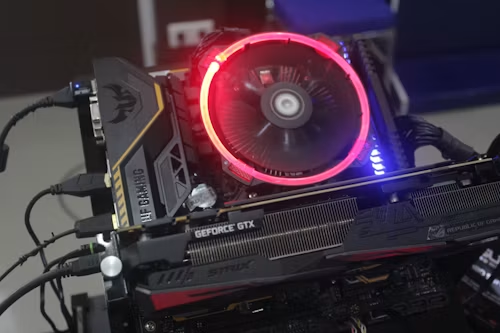
- Dedicated GPU: Necessary for serious gaming, high-end 3D rendering, heavy video editing (especially with NVIDIA CUDA workflows), and machine learning development. Most commonly from NVIDIA (RTX 40/50 series) in gaming and creator laptops.
If you’re not gaming or doing heavy 3D/video work, you almost certainly don’t need to pay for a dedicated GPU.
Display: What to Look For
The display is what you stare at for hours, so don’t overlook it.
Resolution:
- 1080p (Full HD): Baseline. Fine on screens up to 14″.
- 1440p (QHD): Noticeably sharper. Good midpoint for 14–15″ screens.
- 4K (UHD): Stunning, but drains battery faster. Best on 16″+ screens for creative work.
Panel type:
- IPS: Good colour accuracy, wide viewing angles. Solid for most users.
- OLED: Exceptional contrast (true blacks), vivid colour. Excellent for photo and video work. Slightly higher burn-in risk long-term.
- Mini-LED / IPS with high brightness: Better outdoor visibility, great for MacBook Pro-class displays.
Refresh rate:
- 60Hz: Standard. Fine for office work and general use.
- 120 Hz+: Noticeably smoother scrolling and motion. Worth it for gaming and increasingly standard on premium laptops.
Minimum to avoid: Anything below 1080p or with a TN panel (poor colour accuracy and narrow viewing angles).
Battery Life: The Spec That Marketing Inflates Most
Manufacturers test battery life under ideal conditions that bear no resemblance to real usage. Here’s how to decode what you’ll actually get:
- Manufacturer claims 15+ hours: Expect 8–11 hours of real mixed use.
- Manufacturer claims 10 hours: Expect 5–7 hours of real use.
The notable exception: Apple Silicon MacBooks consistently deliver real-world battery life that rivals or exceeds their stated figures — the M4 MacBook Pro 16 genuinely hits 14–18 hours of productive work in independent testing.
For Windows laptops, ARM-based machines (like Snapdragon X Elite models) are the new leaders in battery efficiency.
Practical rule: If you work away from power outlets regularly, don’t buy below 8 hours of claimed battery life, and look for reviews that measure real-world figures.
Ports: What You’ll Actually Need
Check what ports are physically on the laptop before you buy — adding adapters gets expensive and annoying fast.
Must-have for most people:
- At least 2× USB-A (full-size USB)
- 1× USB-C / Thunderbolt 4
- HDMI or DisplayPort (for external monitor)
- 3.5mm headphone jack
- SD card slot (essential for photographers)
Red flag: Laptops that offer only USB-C ports force you to carry a hub everywhere. Many thin ultrabooks do this to achieve slim profiles — decide if the trade-off is worth it for you.
Build Quality and Weight
If portability matters, weight is a real spec — the difference between a 1.1 kg ultrabook and a 2.5 kg gaming laptop is felt in your bag every day.
- Ultra-Portable: Under 1.4 kg. Prioritises mobility. Good for travel and commuting.
- Standard productivity: 1.4–2 kg. Balanced portability and performance.
- Gaming/Creator: 2–3 kg. More power, less portability.
For build materials: aluminium unibody construction (common in premium Windows laptops and all MacBooks) is more durable and premium-feeling than plastic. Mid-range and budget laptops typically use polycarbonate plastic, which is perfectly functional but feels less premium and is more susceptible to flex.
The Specs Cheat Sheet
| Use Case | CPU | RAM | Storage | GPU | Display |
|---|---|---|---|---|---|
| Everyday / Light | Core Ultra 5 / Ryzen AI 5 | 16GB | 512GB NVMe | Integrated | 1080p IPS |
| Work / Productivity | Core Ultra 7 / Ryzen AI 7 | 16–32 GB | 512GB–1TB NVMe | Integrated | 1080p–1440p IPS |
| Content Creation | Core Ultra 7 / M4 Pro / Ryzen AI 9 | 32GB+ | 1TB+ NVMe | Dedicated (NVIDIA) or M4 | 1440p–4K IPS/OLED |
| Gaming | Core Ultra 9 / Ryzen AI 9 | 16–32 GB | 1TB NVMe | NVIDIA RTX 4070/4080+ | 1080p–1440p 144Hz+ |
What NOT to Buy in 2026
Avoid these common traps:
- 8GB RAM in any laptop you’ll use for work or multitasking
- SATA SSDs — insist on NVMe
- Displays below 1080p — eye strain is real
- Processors labelled Celeron, Pentium, or older Core i3 — too slow for modern workloads
- “Refurbished” 2019–2020 laptops at full prices — the RAM and storage in older machines often can’t be upgraded, and chip generations matter
The Bottom Line
Choosing the right laptop comes down to one thing: matching the hardware to how you actually work — not the biggest numbers you can afford.
For most people in 2026, the sweet spot is a laptop with a current-gen Intel Core Ultra 5 or AMD Ryzen AI 5 processor, 16GB of RAM, and a 512GB NVMe SSD. That combination handles everyday work, study, browsing, and media without breaking a sweat — and won’t break the bank.
Go up to 32GB RAM and a dedicated GPU only if your work genuinely demands it. And if you’re a creative professional without a platform dependency, seriously consider an Apple M4 MacBook — the battery life and sustained performance per watt are in a different league.
The best laptop is the one that disappears into your workflow. Buy the right tool for your job — nothing more, nothing less.