Best cloud storage for multiple devices
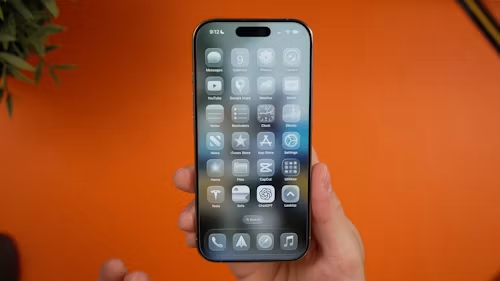
Cloud storage is most useful when it removes friction between your devices. A document saved on a laptop should be available on a phone. A photo captured on a tablet should be easy to open on a desktop. And changes made offline should sync reliably when the device reconnects.
The best service for you depends less on the biggest storage number and more on the devices, apps, and ecosystem you already use. iCloud is the most natural choice for Apple households, Google Drive works especially well with Google Workspace and Android, OneDrive is closely tied to Windows and Microsoft 365, Dropbox remains a straightforward cross-platform option, and Proton Drive puts privacy at the centre of its design.
What to look for in cross-device cloud storage
Before choosing a service, check five practical details:
- Device support: Does it have reliable apps for your phone, tablet, computer, and browser?
- Sync behaviour: Does it mirror files locally, stream them on demand, or only upload photos and selected folders?
- Offline access: Can you still open and edit important files without an internet connection?
- Version history: Can you recover an older version after an accidental edit or deletion?
- Privacy and account security: Does the service provide encryption, two-factor authentication, and clear sharing controls?
Storage capacity matters, but it should not be the only deciding factor. A large plan is poor value if the service does not work well with your main devices.
Best for Apple devices: iCloud Drive
Choose iCloud Drive if you mainly use an iPhone, iPad, and Mac. It is built into Apple’s Files app on mobile devices and Finder on the Mac. Apple also provides iCloud for Windows and browser access through iCloud.com, which makes the service usable in mixed-device households, although Apple-to-Apple integration is its strongest advantage.
Files remain available across devices signed in to the same Apple Account, provided iCloud Drive is enabled. Apple’s own setup guidance covers iPhone, iPad, Mac, Windows, and web access.
Strengths
- Excellent integration with iPhone, iPad, and Mac
- Files app and Finder integration
- Useful for Apple apps such as Pages, Numbers, and Keynote
- Convenient Desktop and Documents folder syncing on Mac
- Browser and Windows access for mixed environments
Limitations
- Android does not have a full native iCloud Drive app
- Free storage is limited and shared with other iCloud data
- The best experience assumes that your devices use Apple Accounts
If your household includes both Android and iPhone users, Google Drive, OneDrive, or Dropbox may be less restrictive.
Best for Google users: Google Drive
Choose Google Drive if you use Android, Gmail, Google Photos, Docs, Sheets, or Chromebooks. Drive is closely connected to Google’s productivity ecosystem, making it easy to save attachments, collaborate on documents, and open files from a phone, browser, tablet, or computer.
Google Drive for desktop supports Windows and macOS, while mobile apps provide access on iPhone, iPad, and Android. The browser version is also important because it lets you access files from devices where you do not want to install an app.
Strengths
- Strong integration with Google Docs, Sheets, and Slides
- Convenient browser experience
- Good fit for Android and Chromebook users
- Simple collaboration and link sharing
- Useful search and organisation tools
Limitations
- Storage is shared with Google services under the same account
- Some advanced collaboration features depend on account type
- Browser and desktop sync do not behave identically
- Privacy-conscious users should review sharing and account settings carefully
Google Drive is a strong all-rounder for people who regularly move between Android, Windows, Mac, and web-based work.
Best for Windows and Microsoft 365: OneDrive
Choose OneDrive if you work in Word, Excel, PowerPoint, Outlook, or Windows. OneDrive is integrated into Windows and Microsoft 365, and Microsoft provides apps for Windows, macOS, iPhone, iPad, and Android.
A Microsoft 365 plan can make OneDrive particularly compelling because it combines storage with Office applications. Changes to supported documents can follow you between devices, and mobile users can back up photos or scan documents through the OneDrive app.
Strengths
- Strong Windows File Explorer integration
- Excellent fit for Microsoft 365 users
- Supports PC, Mac, iPhone, iPad, and Android
- Useful photo backup and document scanning tools
- Files can be made available offline
Limitations
- The best value may require a Microsoft 365 subscription
- Files On-Demand can confuse users who expect every file to be stored locally
- Sharing and account permissions need careful review in work and family accounts
For a Windows-first household that also uses iPhones or Macs, OneDrive is often more flexible than iCloud.
Best for simple multi-platform syncing: Dropbox
Choose Dropbox if you want a straightforward service that works across computers and mobile devices. Dropbox supports Windows, Mac, iPhone, iPad, and Android, and its desktop app can automatically synchronise files across linked devices.
Dropbox’s main advantage is clarity. You place files in the Dropbox folder, install the app on your other devices, and the service keeps supported content updated. Selective sync and online-only features can help reduce local storage use.
Strengths
- Simple cross-platform workflow
- Reliable desktop folder model
- Offline access on mobile and desktop
- Selective sync can save disc space
- Useful sharing and collaboration features
Limitations
- Free storage is relatively limited
- Some advanced recovery and sharing features require a paid plan
- It may cost more than an ecosystem service if you already subscribe to Microsoft 365 or iCloud+
Dropbox is a good choice when your devices come from different manufacturers and you want a neutral file-sync layer.
Best for privacy-focused storage: Proton Drive
Choose Proton Drive if privacy is your leading priority and the supported features meet your needs. Proton provides apps for Windows, macOS, Android, iPhone, and iPad, alongside web access.
Proton says files are end-to-end encrypted, meaning the company is designed not to have access to the contents. That is a company claim about its technical design, not a guarantee that every account, device, password, or shared link is risk-free. Strong account security and careful sharing are still essential.
Strengths
- Privacy-first approach
- End-to-end encrypted storage claims
- Apps for major desktop and mobile platforms
- Useful option for sensitive personal documents
- Browser access for unsupported or temporary devices
Limitations
- Collaboration and editing features may not match Google Drive or Microsoft 365
- Cross-platform sync behaviour can differ by app and operating system
- Users should check the current plan, storage limits, and recovery features
Proton Drive is best for people willing to trade some ecosystem convenience for stronger privacy design.
Which cloud storage service should you choose?
| Your main situation | Best starting point |
|---|---|
| iPhone, iPad, and Mac household | iCloud Drive |
| Android and Google Workspace | Google Drive |
| Windows and Microsoft 365 | OneDrive |
| Mixed devices and simple folder syncing | Dropbox |
| Privacy-focused file storage | Proton Drive |
You can also use more than one service, but avoid scattering important files across several platforms without a clear system. Keep one primary location for working documents and use another service for a separate backup when appropriate.
Cloud sync is not the same as a complete backup. If a file is deleted or encrypted by ransomware, that change may synchronise to other devices. For a safer approach, combine cloud storage with an independent backup. See our guide on how to back up your computer.
Final verdict
iCloud Drive is the smoothest choice for Apple households, Google Drive is the strongest general option for Google users, OneDrive is ideal for Windows and Microsoft 365, Dropbox offers the simplest neutral cross-platform workflow, and Proton Drive is worth considering when privacy matters most.
Do not choose solely by free storage. Choose the service that supports every important device you use, provides reliable offline access, offers sensible recovery tools, and fits the apps where you already create and edit files.
Related TechMuse reading: How to free up space on a Windows PC or Mac, How to protect your privacy when using AI apps