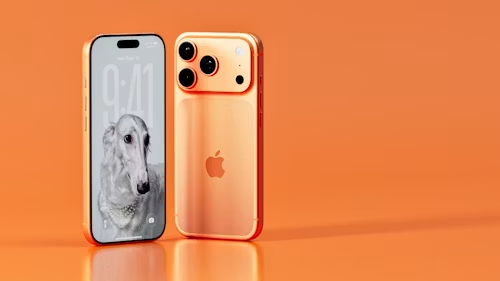
Apple’s iPhone 17 series is arguably the most complete iPhone lineup yet. The standard iPhone 17 finally gets ProMotion, the iPhone Air redefines what ‘thin’ can mean, and the Pro and Pro Max push camera and performance to new heights. But the right accessories don’t just protect your investment — they unlock the full potential of the hardware Apple built.
Whether you just picked up an iPhone 17, iPhone Air, iPhone 17 Pro, or Pro Max, this guide covers the best accessories worth buying right now — from cases and screen protectors to MagSafe chargers, wallets, car mounts, earbuds, and beyond.
A Quick Look at the iPhone 17 Lineup First
Before diving into accessories, it helps to know what you’re working with:
| Model | Display | Chip | Starting Price |
|---|---|---|---|
| iPhone 17 | 6.3-inch OLED, 120Hz | A19 | $829 (unlocked) |
| iPhone Air | 6.65-inch OLED, 120Hz | A19 Pro | $999 |
| iPhone 17 Pro | 6.3-inch OLED, 120Hz | A19 Pro | $1,099 |
| iPhone 17 Pro Max | 6.9-inch OLED, 120Hz | A19 Pro | $1,199 |
All four models support MagSafe with Qi2.2 at up to 25W wireless charging — a key detail when choosing chargers and accessories. The Pro and Pro Max feature a new horizontal camera bar housing three 48MP cameras, which affects case design. The ultra-thin iPhone Air (5.6mm) has unique compatibility considerations too (T-Mobile, “iPhone 17 Series: Features, Design, Specs, and More”).
1. Cases: Protect Your iPhone Without Hiding It
With the iPhone 17 Pro Max starting at $1,199, a good case isn’t optional — it’s essential insurance. Here’s what matters when choosing one.
What to Look For
MagSafe compatibility is non-negotiable. With Qi2.2 supporting up to 25W wireless charging, a case with weak or misaligned magnets can directly reduce charging speed. Look for cases explicitly labelled “MagSafe Certified” or “MagSafe Enhanced”. (IZReview, “8 Best iPhone 17 Pro Max Cases 2026”)
Camera plateau coverage matters more this year than ever. The iPhone 17 Pro and Pro Max feature the largest camera system Apple has shipped. Your case should have raised edges around the camera array to prevent direct contact with flat surfaces (DropGuys, “Best iPhone 17 Pro Max Cases: Tested & Ranked”).
Drop protection rating: Look for MIL-STD-810G certification at minimum. With the Pro Max’s large 6.9-inch display generating more force on impact, a case rated for 10-foot drops is the 2026 baseline.
Top Picks by Category
Best Overall: ESR Stash Stand Case The standout pick for most users. It combines 1,500g magnetic holding force, military-grade drop protection, a zinc-alloy kickstand rated for 3,000+ cycles, and full MagSafe compatibility. The hidden kickstand folds neatly around the camera module so it doesn’t add unnecessary bulk when not in use (IZReview).
Best Rugged: Urban Armour Gear Monarch Pro Kevlar If maximum protection is the priority, UAG’s Monarch Pro is the benchmark. The armour frame is reinforced with DuPont Kevlar, a shock-resistant core, a polycarbonate shear plate, and an impact-resistant rubber surround — rated to 25-foot drops. Contoured perimeter edges deliver anti-slip grip while remaining thin enough for wireless charging (Tom’s Guide, “Best iPhone 17 Pro Max Cases”).
Best Grip: Dbrand Grip Case Billed as “the world’s grippiest phone case”, the Dbrand Grip is 22 mm thin with military-grade drop protection and “grip strips” along the sides that keep your phone firmly in hand. Available in 30+ unique designs for those who want personality alongside protection (Tom’s Guide).
Best Budget: Spigen Thin Fit / Liquid Air Series Spigen consistently delivers reliable protection at accessible prices. The Liquid Air series provides textured grip, raised camera bezels, and MagSafe compatibility at a fraction of premium case prices.
For the iPhone Air: The 5.6 mm thinness of the air means any case adds noticeable relative bulk. Prioritise ultra-slim TPU or clear cases that preserve the Air’s defining form factor while still providing scratch and drop protection.
2. Screen Protectors: Ceramic Shield Is Not Enough on Its Own
The iPhone 17 series utilises Apple’s Ceramic Shield 2, which is reportedly 3x more resistant to scratches than the previous-gen shield (MacRumours, “iPhone 17 Models Come With These New Features”). However, scratch-resistant is not the same thing as scratch-proof. The accumulation of keys in a pocket, sand at the beach, or even incidental contact throughout the day will significantly shorten the lifespan of the screen. After all, screen repair costs have only grown steadily over the years.
A quality screen protector serves as sacrificial protection in keeping the screen pristine and maintains value during trade-in (Smartish, “Best iPhone 17 Screen Protector Guide”).
What You Should Know
Tempered Glass: The standard among screen protectors. These replicate the look and feel of the iPhone’s original screen while offering a shatter-resistant layer of protection that should absorb energy away from the iPhone screen in the case of impact. 9H is the standard to look for in terms of hardness.
Matte/Anti-Glare: These offer the same basic tempered glass protection as the standard screen protectors but with a matte finish to reduce glare in bright lighting environments. The downside is a slightly diminished vibrancy and clarity.
Privacy: Blocks viewing from the side, which is helpful for ensuring confidentiality in public places.
Who Makes the Best iPhone 17 Screen Protectors?
Casely Premium Tempered Glass: Available for Air, Pro, and Pro Max variants. Made with premium materials, offers edge-to-edge coverage, and is a relative breeze to install (Casely, “Best Screen Protectors for the iPhone 17”).
Benks JoyTouch Matte: The best value in terms of the matte-finish category. It replicates the anti-glare properties of the standard iPhone matte with less noticeable grain than other matte options while still allowing for a comfortable grip on the phone, so it’s ideal for use in bright conditions.
SmartDevil SmartPull: Best for people who want a worry-free installation. Comes with a special installation box to ensure a bubble-free, perfect application every time.
ESR Armorite Series: This 110-lb pressure-tested tempered glass series offers extreme drop protection without impacting the touch sensitivity or clarity of the display. Available for the entire 17-series iPhones (ESR Tech).
Pro tip: Always clean the phone’s display with the special wipe that comes with the screen protector prior to applying the protector. Apply the screen protector in a dust-free environment using the alignment feature that comes with most premium screen protectors. The biggest difference between a good- and bad-tempered glass screen lies in the installation.
3. MagSafe Chargers: The Faster, Cleaner Way to Power Up
Apple’s iPhone 17 supports Qi2.2 – the latest iteration of the global standard for wireless charging that promises up to 25W of power: 5x faster than the standard 5W Qi chargers and close to USB-C speeds when using the right tools (IZReview, “6 Best MagSafe Charger for iPhone 17”). If you have an old Qi or MagSafe charger that only outputs 15W, then you’re leaving a lot of battery power on the table.
What You Should Know
- Qi2.2 chargers can reliably output 25W to both the iPhone 17 and iPhone 16. As such, double-check what type of charger you’re buying since many Qi2.2 chargers on the market are actually the second-gen Qi standard with 15W of power.
- Charging speed is important, but thermal regulation in MagSafe chargers is also crucial to prolonging the battery’s life in the long run (UGREEN, “Best MagSafe Chargers for iPhone 17 in 2026”).
- To reliably output 25W, you need a power adapter with at least 20W of power. Ideally, go for 30W to future-proof your setup.
- The iPhone Air has a 20W charging limit even on a 25W Qi2.2 charger.
What Are the Best MagSafe Chargers for iPhone 17?
Desk Charger
The Best: Anker MagGo Charger Stand
The most comprehensive desk charger on the market, the Anker MagGo Charger Stand delivers fast MagSafe-compatible wireless charging while also featuring an adjustable stand to view videos on the iPhone 17 while it charges. This avoids the need for fussy cable management that comes with wired options (IZReview).
Fastest Wireless Charging
The Best: ESR CryoBoost Qi2.2
Macworld’s fastest wireless charger under testing conditions with active cooling to maintain stable temperatures during extended use. The ESR CryoBoost Qi2.2 can reliably output 25W of power to power an iPhone 17 Pro from 0 to 50% in around 33 minutes. It also features an MFW-certified Apple Watch charger and a 50W MacBook Air adapter in a 0.62-inch flat folding travel charger (Macworld, “Best MagSafe Chargers 2026”).
Best 3-in-1 Station
The Best: Anker MagGo 3-in-1, Nomad Stand One Max
Many people who own an iPhone, Apple Watch, and AirPods want a single convenient charging station for all their gadgets. The Nomad Stand One Max is the premium option in this category: a Qi2 MagSafe stand made of metal and glass that can also charge AirPods and Apple Watch. Anker MagGo 3-in-1 offers similar functionality at a more reasonable price point.
Best Travel Charger
The Best: UGREEN MagFlow 2-in-1
An extremely portable 2-in-1 Qi2 MagSafe charger with a Qi pad for AirPods. The UGREEN MagFlow folds into a 2.4×2.4×1.5-inch travel charger block, but it can reliably output 25W of power to the iPhone 17 and 5W to the AirPods. It also features a USB-C port for wired charging and can keep up with the fastest wireless chargers for the iPhone 17 in terms of speed (Macworld).
Best MagSafe Power Bank
The Best: Anker MagGo, Mophie Snap+ Juice Pack
MagSafe power banks allow for convenient and faster wireless charging on the go. Most MagSafe power banks feature magnetic straps that attach to the back of the iPhone 17 to provide wireless charging while allowing the user to continue using the phone. For best results, go for a power bank with at least 5000 mAh of battery capacity and Qi2 certification.
4. MagSafe Wallets: Ditch the Separate Wallet
One of the more intuitive uses for MagSafe is the magnetic wallet: a thin cardholder that attaches directly to the back of the iPhone. The MagSafe ring on the iPhone 17 is reported to be 25% stronger than previous-gen iPhones, making MagSafe wallets more reliable than ever before (Smartish, “Best MagSafe Wallets for iPhone 17”).
What You Should Know
- MagSafe wallets typically make use of rare-earth magnets for stronger grip. Cheaper alternatives tend to use weaker 800~1000 Gauss magnets, which are less reliable and can easily come off during physical activities. Look for at least 1500 Gauss on MagSafe wallets.
- Many MagSafe wallets claim to support 3 cards, but practically, only 2 cards plus a folded-up bill can be carried without adding too much bulk to the phone (Smartish).
- RFID blocking is strongly advised to protect cards from contactless scanning.
- Some MagSafe wallets double as a stand, which is a handy feature to have.
Who Makes the Best MagSafe Wallets for iPhone 17?
The Best: Apple MagSafe Wallet with Find My
Apple’s own MagSafe wallet allows you to carry up to 3 cards while attaching securely to the back of your iPhone 17. It also features the Find My tracking feature so that you can locate your wallet if it becomes detached from your phone. Made of genuine leather, the MagSafe wallet is slim enough to carry without adding much bulk. Find My tracking is an added bonus that no other wallet can rival.
The Best Feature: SUPCASE MagSafe Wallet with Stand
The most feature-packed MagSafe wallet on the market with a 3,000G N52 magnet ring, 5-card hard-shell storage with bottom push out access, multi-angle stand with tripod latch mode, RFID blocking, and more, although it does sacrifice slimness to provide these features (IZReview, “10 Best MagSafe Wallets for iPhone 17”).
The Best Slim: MOFT Snap-On Magnetic Stand and Wallet
The MOFT Snap-On Magnetic Stand and Wallet is an incredibly thin snap-on wallet made of vegan leather that opens up into a stand. At only 0.2 inches thick, the MOFT wallet is ideal for people who want to minimise the thickness of their phone while still having a magnetic wallet. Holds up to 2 cards (Yahoo Tech, “Best MagSafe Accessories 2026”).
The Best Ecosystem: Spigen Tintap MagFit+
Features a MagFit+ outer ring that allows you to attach other MagSafe accessories to the wallet. Allows the entire phone + wallet assembly to be mounted on a car stand or other MagSafe-compatible accessories as a single unit (IZReview).
5. Car Mounts: Hands-Free Navigation Done Right
When it comes to MagSafe accessories, car mounts are one of the most useful items a phone owner can buy. With the right MagSafe car mount, the phone is always ready to use for directions without needing to fiddle around with the mounting mechanism. MagSafe mounts also tend to hold the phone more firmly than standard mounts since the magnetic ring is far stronger than a standard clip or bracket. Most mounts can handle even the heaviest Pro Max variant during vigorous driving without issues.
What You Should Know
- Look for car mounts that use N55 high-performance magnets. Mounts with N55 magnets are strong enough to keep the heaviest Pro Max variant secured even during the most vigorous driving conditions.
- Vent vs. Dashboard Mounts: Vent mounts are easier to install and remove, whereas dashboard mounts provide more stability for the phone during travel. Many 2026 MagSafe car mounts offer both options in a single unit.
- The best car mounts have Qi2 wireless charging built-in so that the phone can charge while mounted. This negates the need to plug in the phone directly to the car’s power port.
What Are the Best Car Mounts for iPhone 17?
The Best: Belkin MagSafe Car Vent Mount PRO
The premium option in the car mount category: the Belkin MagSafe Car Vent Mount PRO offers excellent magnetic grip while also keeping the phone cool during wireless charging. Works with MagSafe cases without impeding charging speeds (Refurb.me, “9 Best MagSafe Accessories for iPhone 16 & 17 in 2026”).
The Best Value: LISEN 2-in-1 MagSafe Car Mount
A value-packed 2-in-1 vent/dashboard mount with 20 N55 high-performance magnets that can hold the heaviest Pro Max variant. Designed for iPhone 17/16/15/14/13/12 Pro Max and MagSafe cases (Newegg).
To Charge While Driving: Look for a car mount that features a Qi2 wireless charging coil along with a set of powerful N52/N55 magnets in the stand. Many 2026 car mounts from iOttie and ESR offer this feature.
6. AirPods: The Natural iPhone 17 Audio Companion
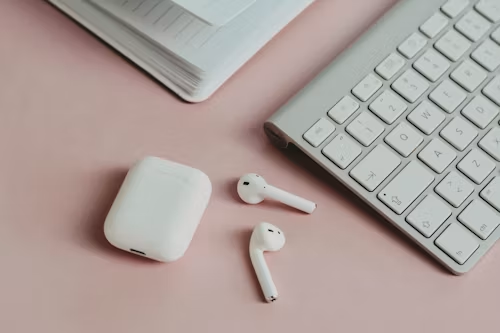
No other accessory complements the iPhone 17 so well as the AirPods. The auto-switching, spatial audio, and adaptive audio features are all exclusive to the AirPods and iPhone 17 ecosystem, so it’s well worth the investment to be able to use them all together.
What AirPods Should You Buy?
AirPods Pro 3 – Best Overall
The AirPods Pro 3 are set to launch alongside the iPhone 17 in the U.S. in September 2025 and represent Apple’s finest entry in the in-ear headphones category. They offer the best noise-cancelling features that Apple has to offer with Active Noise Cancellation, Transparency Mode, Adaptive Audio, Conversation Awareness that lowers the volume when the user starts talking, and Personalised Spatial Audio. If you’re looking for one pair of headphones that can get you through your commute, calls, music, and exercise, the AirPods Pro 3 is the best overall option (Fox News, “iPhone 17: Must-Have Accessories”).
AirPods 4 with ANC – Best Value
The AirPods 4 with ANC include many of the desirable features of the AirPods Pro 3 but omit the in-ear design. They include a newly-designed fit claimed to be the most comfortable AirPods ever, Adaptive Audio, and Conversation Awareness. They’re the best value option if you found the AirPods Pro 3’s ear tip design uncomfortable (Macworld, “Best Earbuds for iPhone 2026”).
AirPods 4 – Best Budget
If you want the best value in terms of a pure Apple experience without any ANC features, the standard AirPods 4 is the way to go.
AirPods Max – Best Over-Ear
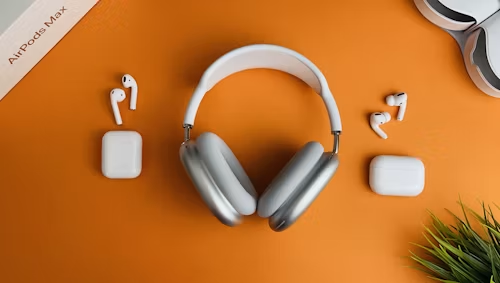
Apple’s premium over-ear headphones offer the best noise-cancelling and sound features in one convenient over-ear design. Ideal for people who want to fully immerse themselves in music or video. The USB-C version (2024 update) is the current model.
Key benefit of AirPods across all iPhone 17 variants: Once paired with an Apple ID, AirPods auto-switch between all Apple devices so that the audio seamlessly transfers from the iPhone 17 to the iPad, MacBook, or Apple TV without any additional effort. This is difficult to rival with the competition, especially for users who are heavily invested in the Apple ecosystem.
7. Apple Watch Series 11: The Perfect iPhone 17 Companion
Although not an accessory per se, the Apple Watch Series 11 is such an indispensable companion to the new iPhone 17 that it’s worth mentioning as part of this guide. The Apple Watch provides the user with extended functionality beyond what the iPhone 17 can offer on its own: notifications, cellular connectivity, activity tracking, ECG, crash detection, fall detection, and Apple Pay. The watch can also make use of the innovative AirPods 4 conversation awareness and adaptive audio features to provide an even more convenient experience for the user.
The Apple Watch can also be used to store music directly on the watch, which can then be used in conjunction with the AirPods for exercising or other activities, so that the iPhone 17 can be left at home (RefurbMe, “7 Best Apple Watch Accessories in 2026”).
8. MagSafe-Compatible Power Banks: Stay Charged Anywhere
Although battery life on the iPhone 17 has seen significant improvements across the board, the Pro Max variant can still only last for up to 39 hours of video playback. As such, there are still scenarios where a supplemental power bank is useful, especially for heavy users.
What You Should Know
- 5,000 mAh: Can provide 1 full charge to an iPhone 17.
- 10,000 mAh: Can provide 2 full charges to an iPhone 17 and some additional headroom.
- Qi2 certification: Offers the fastest wireless charging speeds from a power bank.
- Pass-through charging: Lets the power bank charge while the connected iPhone is also charging.
- Built-in cable: Some 2026 power banks include a USB-C cable for faster charging as a backup option.
What Are the Best MagSafe Power Banks for iPhone 17?
Mophie Snap+ Juice Pack Mini
The ultra-slim, pocket-friendly MagSafe power bank has a strong magnetic grip so that it can be attached anywhere on the phone. Holds enough power to provide a reliable second charge while still being convenient to carry.
Anker MagGo Power Bank (10,000 mAh)
The reliable Qi2 MagSafe power bank with a built-in LED battery indicator. 10,000 mAh capacity means 3 full charges for the iPhone 14/SE and 2 full charges for the iPhone 17 Pro Max. Anker power banks are known for their reliability, so it’s a safe choice for most users.
PicoGo AM52
The ultra-slim Qi2.2 MagSafe power bank with a strong magnetic grip, built-in USB-C cable option, and pass-through charging. One of the most portable Qi2-certified power banks in 2026 (Macworld, “Best MagSafe Portable Battery Packs 2026”).
9. USB-C Cables and Wired Chargers: Don’t Overlook the Basics
All iPhone 17 variants use USB-C for charging and data transfer. The iPhone 17 also supports up to 45W of wired charging.
What You Should Know
- USB-C to USB-C with Power Delivery: Required for fast wired charging.
- Charger Wattage: A 30W or higher USB-C Power Delivery charger is strongly recommended to take advantage of the fastest charging speeds.
- Length: 6-foot USB-C to USB-C cables offer significantly more flexibility than the 1m cable that comes with the iPhone 17.
What Are the Best USB-C Cables & Chargers for iPhone 17?
The Best: Anker USB-C to USB-C (6 ft 60W)
The most reliable and durable braided cable. Comes in a wide variety of lengths and can be bought in a pack of 3 for extra convenience.
The Best Wired Charger: Apple 30W USB-C Adapter + USB-C Braided Cable
Apple’s own 30W USB-C charger offers excellent reliability and is compatible with all USB-C devices. Good if you don’t want to buy a third-party cable.
The Best GaN Charger: Baseus 65W GaN Charger
Looking for a single compact but powerful charger that can fast-charge your iPhone 17, iPad, and MacBook at the same time? Baseus 65W GaN is a great option that utilises cutting-edge gallium nitride technology.
10. Camera Accessories for iPhone 17 Pro / Pro Max
With 3x48MP cameras, a horizontal camera bar design, and a 40x digital zoom, the camera capabilities on the iPhone 17 Pro and Pro Max are undeniably impressive. However, photography and videography enthusiasts know that there are always ways to improve upon the existing capabilities, which is why they turn to accessories. There are many different types of camera accessories available for the iPhone 17: lenses, filters, tripods, stabilisers, lighting, and more.
What Accessories Should iPhone 17 Pro Owners Buy?
Lenses
Moment Lenses (Anamorphic, Macro, Wide): The Moment brand is known for its high-quality lens attachments for iPhone. The T-Series lenses utilise a clip design for easy mounting to the iPhone’s camera while offering genuine optical quality. These attachments offer wide, macro, and anamorphic (cinematic) shot capabilities so that users can experiment with different types of photography. Comes with a Moment case for a seamless, secure fit.
Sandmark iPhone 17 Lenses: An affordable but reliable alternative to Moment lenses. Offers a wide variety of iPhone 17-specific lenses, including wide-angle, telephoto, and macro.
Tripods & Stabilisers
Joby GorillaPod 1K: A flexible, bendable phone tripod that can be wrapped around nearly any surface. Works with all MagSafe-compatible tripods. Great for use with Joby’s own MagSafe-compatible phone cases. Light but durable enough for most photography and videography needs.
DJI Osmo Mobile 7 / Zhiyun Smooth 5S: The best smartphone stabilisers on the market with 3-axis stabilisation for excellent results. Both the DJI Osmo Mobile 7 and the Zhiyun Smooth 5S feature intelligent tracking features and iPhone-specific shooting modes that make them ideal for content creators who use the iPhone 17 Pro as their main camera.
MagSafe Tripod Mounts: Some companies make MagSafe-to-tripod adapters so that the iPhone 17 can be mounted directly on a standard tripod without the need for a special case.
Buying Guide: Which Accessories Do You Actually Need?
There is a wide variety of accessories listed in this guide, but you probably don’t need all of them. Here is a brief buying guide to help you decide on the most essential accessories for your needs.
Everyone Should Buy:
- A good case: Look for a MagSafe-compatible case with raised edges for additional protection.
- A tempered glass screen protector: Essential for protecting the iPhone 17’s display against scratches and unwanted markings. Go for at least 9H hardness.
- A Qi2.2 charger: Unless you already have a Qi2 charger.
Consider Buying:
- MagSafe Wallet: Ideal for people who want to minimise the number of items they carry.
- MagSafe Car Mount: Necessary for people who use their phone for directions.
- USB-C Cable and Fast Charger: For people who want to charge their phone at their desk or bedroom.
Consider These Based on Your Needs:
- AirPods Pro 3: If you don’t already have another pair of wireless earbuds and want to enjoy all the features that come with the iPhone 17.
- MagSafe Power Bank: If you have a busy lifestyle or want to ensure that you can always access power when you need it.
- Camera Accessories: Great for photography and videography enthusiasts looking to get more creative with their iPhone 17.
iPhone Air: A slim form factor is the primary appeal of the iPhone Air, so it’s best to prioritise slim cases and screen protectors. Avoid chunky, rugged cases.
iPhone 17 Pro / Pro Max: Camera accessories are more useful for the Pro and Pro Max variants since they offer the most advanced photography and videography features across all iPhone models. In terms of cases, look for those with raised edges to protect the front display from scratches.
Final Thoughts
Apple’s iPhone 17 series represents years of innovation and development. From the A19 and A19 Pro chips to the new ceramic display, the phones are built to last for a long time. However, even the most durable flagship smartphone can see its lifespan reduced without the proper accessories. The right accessories can protect the investment that went into buying the phone while also enhancing the user experience.
Start with a good case and screen protector, optimise charging with Qi2 wireless charging, and upgrade from there based on your needs. The MagSafe ecosystem in 2026 is more extensive and diverse than ever before, and the iPhone 17 series makes excellent use of that. There are many accessories to choose from, so it can be overwhelming for first-time buyers, but the guide above should serve as a reliable reference in choosing the right accessories for the iPhone 17.
For more buying guides, reviews, and tech news, be sure to subscribe to the TechMuse newsletter.