Why AI Is Moving to Your Devices
Quick answer: Local AI means that some AI processing happens directly on your phone, laptop, or other device. It can improve privacy, speed, and offline access, but cloud AI is still more capable for many complex tasks.
What is local AI?
Local AI, also called on-device AI or edge AI, runs an AI model partly or entirely on the device you are using. Instead of sending every request to a remote data center, the device handles suitable tasks using its processor, graphics hardware, or NPU.
The cloud has not disappeared. Many services use a hybrid approach: simple or sensitive tasks run locally, while more demanding requests are sent to online servers.
Local AI vs. cloud AI
| Feature | Local AI | Cloud AI |
|---|---|---|
| Where it runs | On your device | Remote data center |
| Internet requirement | Sometimes works offline | Usually requires a connection |
| Response time | Can be very fast for small tasks | Depends on connection and server load |
| Privacy | Data may stay on the device. | Data may be sent to a service. |
| Capability | Limited by device hardware | Can use larger models and more computing power |
| Cost | Often included with the device or app | May require a subscription or usage fee |
Where local AI is useful
Local processing is especially useful for:
- Voice commands
- Keyboard suggestions
- Live captions
- Noise reduction
- Photo organization
- Image effects
- Translation
- Health and fitness insights
- Accessibility features
- Personal data classification
These tasks often benefit from quick responses and do not always require the largest possible AI model.
The privacy advantage
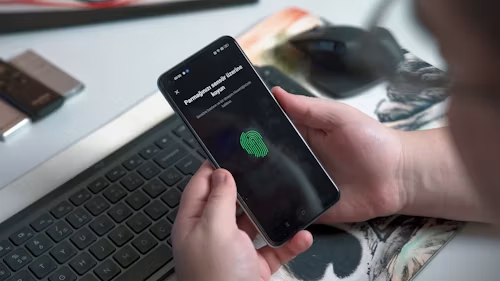
Local AI can reduce the amount of personal information sent to a company’s servers. That can matter when a tool is analyzing a voice recording, photo library, message, document, or health-related information.
However, “on-device” does not automatically mean “private.” An app may use local processing for one feature and cloud processing for another. Read the privacy settings and service terms before assuming that your data never leaves the device.
The offline advantage
Local AI can continue working when the internet is weak or unavailable. That is useful for travel, rural connectivity, aeroplane mode, and situations where fast service matters more than maximum model capability.
Offline AI can also reduce dependence on a service provider. But local models are usually smaller, so they may produce less detailed answers or support fewer functions than cloud-based systems.
Why companies are adding AI hardware
New phones and PCs increasingly include hardware designed to handle AI workloads efficiently. Current product announcements are placing more emphasis on local AI tools and devices that can process AI features closer to the user. 1
The aim is to improve speed, battery efficiency, privacy, and the number of features that can work without a constant connection.
What are the limitations?
Local AI has several trade-offs:
- Smaller models may be less capable
- Storage can be consumed by downloaded models
- Some features work only on newer hardware
- Battery usage can increase during demanding tasks
- Results may vary between devices
- Cloud processing may still be required for advanced features
The best experience will usually be a combination of local and cloud AI rather than either one alone.
Should you choose a device with local AI?
Choose a device with strong local AI capabilities if you value privacy, offline access, fast responses, voice features, translation, accessibility, or long-term software support.
Do not pay a large premium simply for the phrase “on-device AI.” Check which features are actually available, whether they work in your country, and whether they require a subscription.
Final verdict
Local AI is useful when it solves a real problem—privacy, speed, offline access, or battery efficiency. It is not automatically better than cloud AI, but it is likely to become a standard part of phones and computers. When buying a new device, treat local AI as a valuable supporting feature, not the only reason to buy.