Apple’s iOS 27 introduces a rebuilt Siri featuring deep integration with Apple Intelligence. Key enhancements include on-screen awareness, personal context understanding across apps, and the ability to perform complex actions within software. These updates transition Siri from a simple command tool into a more capable, conversational digital assistant.
The upgrade requires compatible Apple Silicon hardware and maintains user privacy through on-device processing. Beyond Siri, iOS 27 includes expanded automation, photo editing tools, and improved parental controls. Currently in public beta, the update is scheduled for a full release alongside new hardware this fall.
Siri AI in iOS 27: Everything You Need to Know
Apple has spent the past two years being asked, over and over, when Siri would actually catch up to modern AI assistants. iOS 27 is the answer. Siri AI, currently rolling out through the public beta ahead of a full release this fall, is the most significant overhaul Siri has ever received. Here’s what’s actually changing.
What Is Siri AI?
Siri AI isn’t a new app — it’s a rebuilt version of the assistant you already use, combining four core upgrades: personal context understanding, on-screen awareness, broader world knowledge, and the ability to take actions across apps. Together, they’re meant to move Siri from a tool for simple one-off commands into something closer to a genuine conversational assistant.
The Headline Feature: On-Screen Awareness
This is the change most people will notice first. Siri can now recognize what’s currently displayed on your screen and act on it directly, without you needing to copy and paste anything between apps.
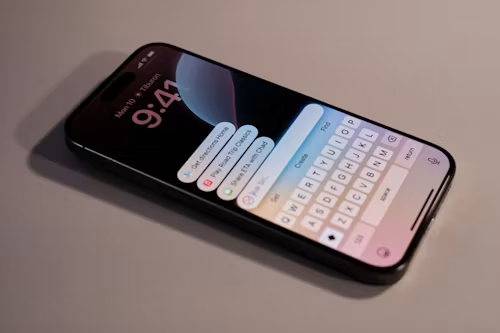
Practical examples: if you’re viewing an address in Messages, you can ask Siri to add it to a contact. If you’re reading something in Mail or Safari, you can ask Siri to turn it into a reminder or calendar event on the spot. On a Mac, you can ask Siri how to find a buried settings menu and get directions based on what’s actually visible on your screen at that moment.
Personal Context: Siri Actually Knows Your Stuff
With your permission, Siri AI can search across information stored in supported apps — Mail, Messages, Notes, Calendar, Photos, and Files — to answer much more specific questions. Trying to remember which email a PDF was attached to months ago, or where a photo was taken based on something recognizable in it, becomes a Siri question instead of a manual search.
Apple has been clear that this works within Apple Intelligence’s existing privacy framework — the assistant only accesses information you’ve already given it permission to see, and everything runs alongside Apple’s on-device and private cloud processing model.
Broader World Knowledge
Siri can now pull in real-time information from the web to answer general questions, similar to a standard AI chatbot — recipe ideas, party planning, homework help, DIY project guidance, and more, rather than being limited to a narrow set of pre-built Siri “skills.”
App Actions and Conversations
Two more meaningful changes:
- App Actions let Siri actually use tools inside apps to complete a request, rather than just opening an app and stopping there.
- Full conversations are now supported — you can go back and forth with Siri, and even bundle multiple tasks into a single request, instead of issuing isolated commands one at a time.
What Devices Support It?
Siri AI requires Apple Intelligence-compatible hardware. That includes the iPhone 15 Pro and Pro Max, the iPhone 16 lineup, Apple Silicon iPads, and Apple Silicon Macs. iOS 27 itself will install on older hardware going back to the iPhone 11, but the Siri AI features specifically are limited to Apple Intelligence-capable devices — so installing the update doesn’t guarantee you’ll get the new assistant if your iPhone falls outside that range.
Beyond Siri: What Else Is Coming in iOS 27
Siri AI is the headline, but Apple Intelligence is expanding more broadly across Safari, Photos, Messages, Mail, Calendar, Home, and Shortcuts, with smarter suggestions and more context-aware automation throughout. Photos is getting new editing tools including Spatial Reframing and an improved Clean Up tool. There are also new parental controls, including Ask to Browse and app-specific time allowances, and accessibility improvements to Voice Control and Accessibility Reader.
When Does It Launch?
Siri AI is available now to developers and public beta testers through the iOS 27 public beta. Apple has said the general public release will arrive this fall, expected to line up with the new iPhone lineup announcement in September.
Should You Install the Beta Now?
If you rely on your iPhone for daily work, we’d hold off — beta software always carries some risk of bugs and battery drain, and Siri AI itself is still being refined between beta builds. If you’re comfortable with the occasional rough edge and want an early look, the public beta is open now. Otherwise, iOS 26.6 is already quietly prepping your device’s search index in the background, so your eventual jump to iOS 27 this fall should go smoothly whenever you’re ready to make it.