Comparison of Windows Laptop vs MacBook
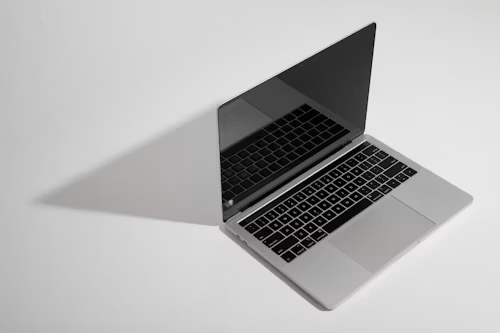
The Windows laptop versus MacBook decision is less about which platform is universally better and more about which one creates fewer compromises in your daily work.
Windows offers more hardware choice, broader gaming support, touch and pen devices, and stronger compatibility with specialist software. The MacBook offers tight Apple integration, efficient Apple silicon, a controlled hardware range, and a polished portable experience.
Windows laptop vs MacBook at a glance
| Priority | Better starting point | Reason |
|---|---|---|
| PC gaming | Windows | Wider game, driver, GPU, and accessory compatibility |
| iPhone integration | MacBook | AirDrop, Handoff, Messages, Calls, and Continuity features |
| Windows-only software | Windows | Native compatibility and enterprise support |
| Apple platform development | MacBook | Xcode and Apple SDKs require a supported Mac. |
| Touchscreen or stylus | Windows | Wider choice of 2-in-1 and pen-enabled hardware |
| Lowest starting price | Windows | More manufacturers and configurations |
| Quiet, portable productivity | MacBook or premium Windows laptop | Efficient modern chips and thin designs |
| Upgradeability | Model-dependent, often Windows | Some business laptops offer replaceable parts. |
Software compatibility comes first.
Before comparing processors, list the applications you cannot replace. Check your school, employer, or professional workflow for Windows-only programmes, plug-ins, device drivers, and enterprise tools.
Mac is the required platform for Xcode and Apple platform development. Windows is generally the safer choice for PC games, many engineering and CAD applications, specialist business tools, and legacy peripherals.
Microsoft 365, web browsers, video conferencing, Google Workspace, and many creative applications work on both platforms, but individual features and plug-ins may differ.
Gaming and graphics
Windows remains the safer choice for serious PC gaming because of its broader support for games, anti-cheat systems, launchers, graphics drivers, and discrete GPUs. It also offers more screen sizes and high-refresh gaming laptops.
MacBooks can handle many mainstream productivity and creative tasks, but they are not a universal replacement for a Windows gaming PC. Check each game rather than relying on platform assumptions.
Battery life and portability
MacBook models with Apple silicon are attractive for quiet operation and efficient battery use. Premium Windows laptops have narrowed the gap, particularly those using modern ARM or efficient x86 processors, but compatibility should be checked for specialised software, drivers, and accessories.
Do not compare battery claims from different manufacturers as if they were laboratory results. Screen brightness, browser tabs, video calls, software, and power modes change real-world endurance.
Touch, ports, and form factor
Windows is the better choice if you need a touchscreen, pen input, tablet mode, detachable keyboard, gaming display, built-in cellular connectivity, or a specific port selection.
The MacBook is a conventional clamshell laptop. Its trackpad, speakers, microphones, and integration with Apple devices are strong reasons to choose it, but it does not provide the Windows market’s variety of touch and 2-in-1 designs.
Repairability and long-term ownership
Do not assume every Windows laptop is upgradeable. Some thin Windows laptops solder memory and storage just like MacBooks. Check the exact service manual before buying.
Compare warranty length, battery replacement options, local repair access, storage capacity, and the cost of upgrading RAM or storage. A lower purchase price can disappear if the machine needs an expensive configuration upgrade.
Who should buy which?
Choose Windows if you:
- Need a Windows-only application or driver.
- Play PC games.
- Want touchscreen or pen hardware.
- Need a discrete GPU.
- Want the widest range of prices and designs.
- Work in a Windows-managed business environment.
Choose a MacBook if you:
- Use an iPhone and want close device integration.
- Develop for Apple platforms.
- Prefer quiet, efficient, portable hardware.
- Use verified Mac-native creative software.
- Want a simpler, tightly controlled hardware range.
Verdict
Buy Windows for compatibility, gaming, hardware choice, touch devices, and flexible budgets. Buy a MacBook for Apple integration, Apple-platform development, and efficient portable work. If your essential applications run equally well on both, compare the actual laptop—display, keyboard, ports, battery, storage, warranty, and price—rather than buying based only on brand identity.
Sources: Apple MacBook; Microsoft Windows; iTechGuides comparison