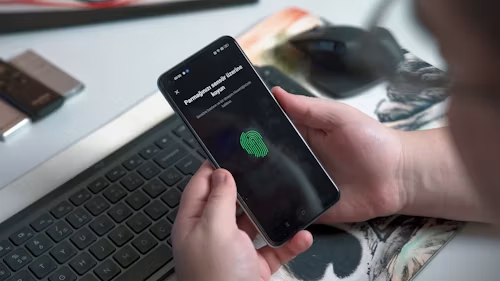
Quick answer: Block individual numbers, turn on your phone’s spam protection, report unwanted messages, and avoid replying or clicking links. For persistent scams, contact your mobile provider.
Spam calls and messages range from annoying marketing to phishing attempts. Blocking one number helps, but filters and cautious habits provide better long-term protection.
Block a number on iPhone.
- Open the Phone app.
- Tap Recents.
- Tap the information button beside the number.
- Scroll down and select Block Caller.
For messages, open the conversation, tap the sender’s name or number, and choose the block option. Menu names may vary by iOS version.
Silence unknown callers on iPhone
Many iPhones include a setting under Settings → Apps → Phone or Settings → Phone called Silence Unknown Callers. When enabled, calls from numbers that are not in your contacts may be sent to voicemail or shown in the recent-calls list instead of ringing.
Use this carefully if you receive important calls from new numbers.
Block a number on Android.
- Open the Phone app.
- Open Recents.
- Tap the number or contact.
- Choose Block or Block/report spam.
In Google Messages, press and hold a suspicious conversation, then choose the block and report option if available.
Turn on spam protection.
Google Phone and Google Messages may provide spam identification and filtering. Samsung and other Android phones may offer similar settings. Open the Phone or Messages app settings and look for Caller ID, Spam protection, or Spam and blocked.
On iPhone, your mobile provider may offer additional call identification and filtering.
Report suspicious messages.
Do not click links, download attachments, or reply to unexpected messages. Use the phone’s ‘Report junk‘ or ‘Report spam’ option. Reporting helps the provider identify similar messages.
If a message claims to be from your bank, contact the bank through its official app or verified website rather than using the message’s link.
Do not respond to spam.
Replying can confirm that your number is active. Even a request to “STOP” may not be appropriate for a suspicious message. Use the block and report tools instead.
What if spam keeps coming?
- Ask your mobile provider about call-filtering services.
- Use a separate number for public listings where practical.
- Remove your number from websites that do not need it.
- Review app permissions and contact access.
- Keep your phone updated.
- Change account passwords if a message appears connected to a compromised account.
Final verdict
Block and report suspicious calls or messages, but do not interact with them. Built-in spam filters reduce the volume, while cautious behaviour protects you from the messages that get through.